If you've ever had your phone die mid-road trip, listened to Google Maps reroute you for the fifth time in a dead zone, or squinted at a tiny screen in bright sunlight, you know the pain. A dedicated car GPS isn't just a nostalgic relic. For millions of drivers, it's a reliable co-pilot that works when your phone can't. But the market is confusing. Is a tracker the same as a navigator? Do you need lifetime maps? Let's cut through the noise.
What's Inside: Your GPS Navigation Roadmap
Why Get a Dedicated Car GPS?
I used to think my phone was enough. Then I took a camping trip through the Blue Ridge Mountains. One moment I had full bars, the next—nothing. My pre-downloaded phone maps were clunky and offered no lane assistance for the coming highway interchange. I missed my exit. That was the day I bought a standalone unit.
Here’s the thing phone makers don't tell you: constant GPS use murders your battery. It also heats up your phone, and if you're streaming music or taking calls, you're begging for a shutdown. A car GPS runs on your car's power, has a screen optimized for driving (bigger, anti-glare), and uses dedicated satellite signals, not a shaky combo of cell towers and Wi-Fi.
The Real Advantage: Offline reliability. According to a report from the National Highway Traffic Safety Administration (NHTSA), driver distraction is a leading cause of accidents. A dedicated GPS mounted at eye level is less distracting than a phone sliding around in a cup holder. It’s designed for one job: getting you there safely, with or without a data connection.
How to Choose the Right Type of Car GPS
Not all car GPS devices are created equal. Picking the wrong type is the most common mistake. They generally fall into three camps.
| Type | Best For | Key Consideration | Avg. Price |
|---|---|---|---|
| Portable Navigation Device (PND) | Most drivers; multi-car families; road trippers. | Ease of use, portability, feature-rich. | $100 - $400 |
| Built-In/In-Dash System | New car buyers; those wanting seamless integration. | Convenience vs. often slower, costly updates. | Included/Part of trim |
| OBD-II or Plug-in GPS Tracker | Fleet managers; parents of teen drivers; security. | Tracking location, not providing driver navigation. | $30 - $150 + sub. |
For 90% of people, the Portable Navigation Device (PND) is the sweet spot. You can move it between cars, it gets regular software updates, and the tech is more advanced than most built-in systems. Brands like Garmin and TomTom dominate here.
My go-to recommendation for a premium all-rounder is the Garmin DriveSmart 86. The 8-inch screen is a game-changer for visibility, and its voice control actually works. For budget-conscious buyers, the TomTom Go Comfort 6 offers stunningly clear graphics and reliable traffic at a lower price point.
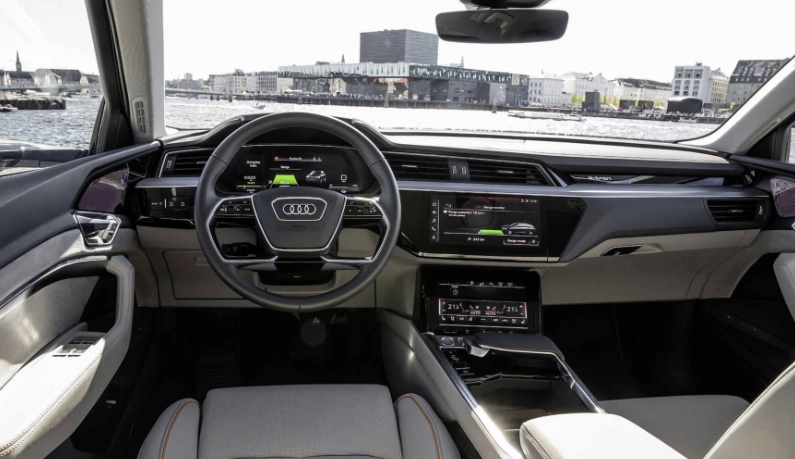
Built-in systems look clean but have a hidden flaw: map updates. Updating the navigation in my friend's 2020 SUV cost him $150 at the dealership. Many manufacturers are now partnering with Google (like GM) or using other over-the-air update systems, but it's a mixed bag. Always ask about the cost and process of map updates before you rely on a factory system.
Key Features to Look for in a Car GPS
Once you know you want a PND, the feature list can be overwhelming. Focus on these core elements.
Screen Size and Clarity
Bigger isn't always better if it blocks your view. 6 to 7 inches is the modern sweet spot. Look for a capacitive touchscreen (like your phone) rather than a resistive one. It's more responsive, especially when wet. Sunlight readability is a spec often buried in manuals—look for reviews that mention it.
Map Coverage and Updates
This is critical. Does it cover the countries you drive in? More importantly, what's the update policy? "Lifetime Map Updates" is a phrase you want to see. It means you get periodic map updates for the life of the device. Without this, your GPS becomes outdated in a few years. Some brands use HERE Maps, others use their own or OpenStreetMap data. All are good, but update frequency varies.
Voice Guidance and Alerts
Natural, spoken street names ("Turn right on Main Street") are essential. Beyond that, look for driver alerts. These can warn you about sharp curves ahead, speed limit changes (and if you're exceeding them), school zones, and even red-light and speed cameras in some regions. This isn't just about convenience; it's a genuine safety aid.
Real-Time Traffic and Connectivity
To get live traffic, a GPS needs data. Most do this by pairing with your smartphone via Bluetooth and using its data connection (usually through a free companion app). This is far superior to the old FM-based traffic receivers. Some high-end models have built-in cellular modems but require a subscription. The smartphone-link method is typically free and works well.
Bonus Features
These can be useful but don't let them sway your core decision. Dashcam integration (like Garmin's Constant Guard) is brilliant—one device handles navigation and recording. Voice assistant integration (Amazon Alexa built-in) lets you ask for gas prices or weather hands-free. Wi-Fi updating means you can update maps at home over your network instead of plugging into a computer.
Installation and Maintenance Made Simple
You unbox it, stick it to the windshield, and plug it into the 12V socket (cigarette lighter), right? Almost.
First, check your local laws. Some states prohibit suction cups on the windshield. In that case, use a dashboard disc mount. Run the power cable neatly along the windshield trim and down the A-pillar to keep it out of the way.
For maintenance, there's really just one task: update the maps. When you get a traffic or software update notification, connect the device to Wi-Fi (if it has it) or plug it into your computer with the provided cable and run the brand's software (Garmin Express, TomTom MyDrive). Do this every 3-4 months. It takes 15 minutes and keeps everything running smoothly.
If the GPS seems slow or buggy, a soft reset (usually a tiny pinhole button on the back) often fixes it. No need to panic.
Not Just Navigation: Understanding Car GPS Trackers
This is a major point of confusion. A car GPS tracker (like those from Bouncie or Vyncs) is a different device with a different purpose. It's not for you, the driver, to navigate. It's for someone else to know where the vehicle is.
You plug a small device into the car's OBD-II port (under the dash) or wire it to the battery. It then uses cellular networks to send the car's location, speed, and sometimes diagnostic data to an app on your phone or a web portal.
Who needs this?
- Parents of teen drivers: Monitor speed, location, and hard braking events.
- Small business owners: Track fleet vehicles for efficiency and accountability.
- Individuals concerned about theft: Some insurance companies offer discounts for using them.
The catch? Almost all require a monthly subscription fee ($10-$25/month) for the cellular data. Don't buy one thinking it's a one-time cost like a PND.
Expert FAQs: Your Top Car GPS Questions Answered
So, is a dedicated car GPS right for you? If your drives regularly take you beyond the reliable reach of cell towers, if you value having a large, clear screen dedicated to navigation, or if you simply want to save your phone's battery for everything else, the answer is a resounding yes. Skip the gimmicks, focus on a reliable brand with lifetime maps and a good traffic solution, and you'll have a trusted companion for years of journeys ahead.