Quick Navigation
- What Exactly Is This Screen For, Anyway? Beyond Just Music
- Cutting Through the Hype: Key Features That Actually Matter
- Navigating the Market: OEM vs. Aftermarket Systems
- The Dark Side: Common Complaints & How to Deal With Them
- Looking Down the Road: What's Next for Car Infotainment?
- Your Questions, Answered (The Real Ones People Ask)
Let's be honest. Remember when a car stereo was just a radio and maybe a tape deck? You'd fiddle with knobs that had a satisfying click. Things have changed, haven't they? Now, the centerpiece of your dashboard is likely a glossy screen, sometimes as big as a small tablet. This is the modern touch screen infotainment system for car interiors. It's not just for playing music anymore; it's the command center for your navigation, your phone calls, your car's climate, and a hundred other settings.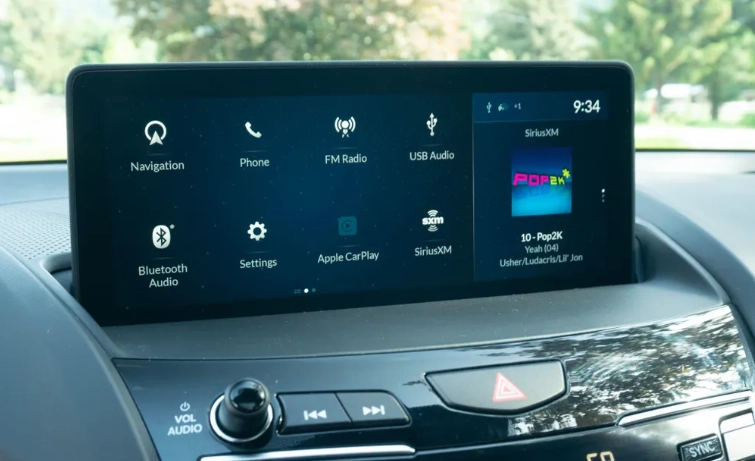
But here's the thing. For something so central to the driving experience, these systems can be incredibly frustrating. I've lost count of the times I've seen someone at a red light, stabbing at a screen trying to turn down the fan while their passenger just looks on helplessly. Or the system that freezes for a few seconds after you start the car – come on! So, is it all just flashy tech, or is there real value here? How do you pick a good one if you're buying a car, or upgrade an old one? That's what we're going to dig into.
This isn't a spec sheet from a manufacturer. It's a practical look from someone who's used the good, the bad, and the downright baffling. We'll talk about what these systems really do, what to look for, the common headaches (and how to avoid them), and where this technology is headed. Because whether you love it or hate it, the touch screen is here to stay.
What Exactly Is This Screen For, Anyway? Beyond Just Music
Calling it a "radio" is like calling a smartphone a "telephone." It's technically true but misses the point entirely. A modern car touch screen infotainment system is a hub. Think of it as the central computer for your car's cabin, with the screen as its face. It blends information and entertainment – hence the name – but it's grown far beyond that.
The Core Jobs of Your Infotainment System
- Media Hub: This is the baseline. It plays AM/FM radio, streams music from your phone via Bluetooth (like Spotify or Apple Music), reads out your podcasts, and plays files from a USB stick. Some have built-in satellite radio or streaming apps.
- Navigation Master: Either through built-in maps (like those from Garmin or embedded systems) or, more commonly now, by mirroring your phone's navigation apps (Google Maps, Waze, Apple Maps) directly onto the car's display.
- Communication Center: It handles hands-free phone calls, reads your text messages aloud (and sometimes lets you reply by voice), and manages your phone's contact list.
- Vehicle Command Post: This is where it gets integrated. Many systems let you control the air conditioning, heated seats, steering wheel heat, ambient lighting, and even drive modes (Sport, Eco, etc.) right from the screen. This is a double-edged sword – convenient when parked, potentially distracting while driving.
- Settings & Data: You dig into your car's deeper settings here – door lock behavior, instrument cluster displays, safety feature adjustments, and viewing data like fuel economy history or tire pressure.
The best systems do all this while feeling intuitive. The worst make simple tasks feel like solving a puzzle. The difference often comes down to how the software is designed, which is something you can't really see on a car lot brochure.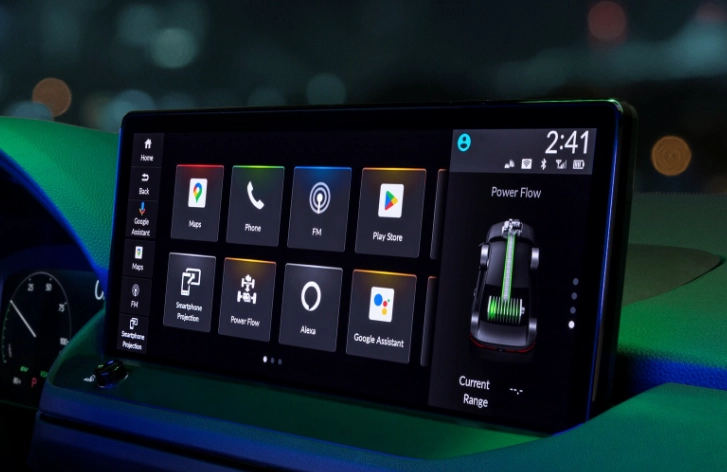
Cutting Through the Hype: Key Features That Actually Matter
Manufacturers love to throw around terms like "seamless integration" and "intuitive interface." Let's translate that into real things you can see and touch. When you're evaluating a touch screen infotainment system for your car, these are the elements that will make or break your daily experience.
The Screen Itself: More Than Just Size
Bigger isn't always better. A massive, cheap-looking screen that washes out in sunlight is worse than a smaller, high-quality one. Here’s what to consider:
- Responsiveness: This is huge. Does the screen react instantly to your touch, or is there a lag? A laggy screen is infuriating and can cause you to take your eyes off the road longer. Capacitive screens (like your smartphone) are generally faster and support multi-touch gestures (pinch-to-zoom) than older resistive screens.
- Glare & Readability: Can you see it clearly at noon on a sunny day? Matte finishes or good anti-glare coatings are a godsend. High brightness (measured in nits) is crucial.
- Placement & Angle: Is it mounted high on the dash, easy to glance at? Or is it buried low, forcing you to look down? The angle should also minimize reflections.
I once test-drove a car with a beautiful, giant vertical screen. Looked stunning in the showroom. On the highway with the sun behind me, it was a mirror reflecting my confused face. Useless.
The Brains Behind the Beauty: Software & Processing Power
The screen is just the window. The software is the room behind it. A slow processor leads to a slow system, period.
The Smartphone Mirroring Revolution: Honestly, this might be the most important feature for most people. Apple CarPlay and Android Auto are not just "features"; they're life-savers. Why? Because they take the familiar, constantly updated interface of your phone and put it on your car screen. Your maps, your music apps, your podcast app, all in a driving-optimized layout. The car's built-in software often feels clunky and outdated in comparison. When shopping, ensure the system supports wireless CarPlay/Android Auto if that's important to you – it's so much more convenient than plugging in every time.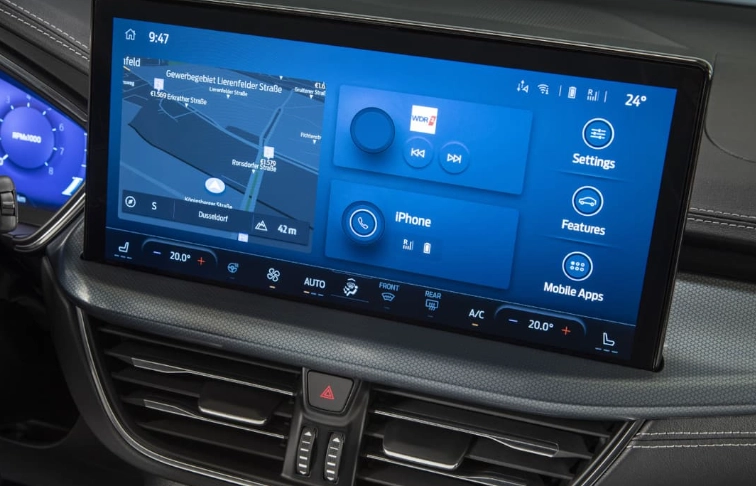
Voice Control: Helper or Hassle?
"Hey, Mercedes." "OK, BMW." Voice commands are supposed to keep your hands on the wheel. But are they any good? In my experience, built-in systems are hit or miss. Some understand natural language well ("I'm cold" turns up the heat). Others require rigid, specific commands. Most people find Google Assistant or Siri via CarPlay/Android Auto to be far more capable for general tasks. A good test is to see if you can input a navigation destination entirely by voice without the system throwing an error.
The Forgotten Hero: Physical Controls & Knobs
This is a major personal gripe. Some carmakers, in a quest for a "clean" interior, bury EVERYTHING in the touch screen. Volume, fan speed, temperature. This is a terrible idea for driving safety. Muscle memory works with a knob. You don't have to look. A perfect system blends a responsive touch screen car infotainment system with essential physical controls. A volume knob/toggle and a few programmable hard buttons for quick access (like the home button or a defrost shortcut) make a world of difference. Tesla is a prime example of the all-screen approach, and while you get used to it, adjusting simple things like wiper speed in a sudden downpour through a menu is objectively worse than having a stalk.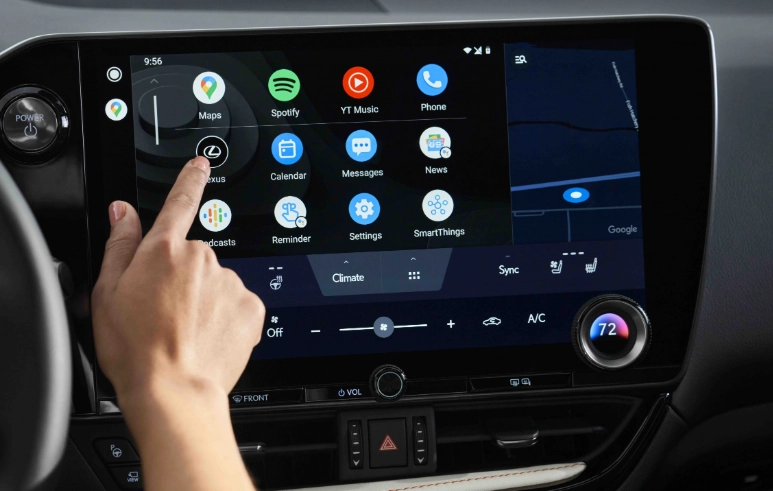
My Take: Don't be seduced by a minimalist interior that sacrifices all buttons. That clean look comes at the cost of convenience and, arguably, safety. A hybrid approach is almost always better for the driver.
Navigating the Market: OEM vs. Aftermarket Systems
So you want a better car entertainment system. Do you buy a new car, or upgrade the one you have? This is the core dilemma.
| Aspect | OEM System (Factory-Installed) | Aftermarket System |
|---|---|---|
| Integration | Deep. Controls climate, vehicle settings, and often displays in the instrument cluster. Looks built-in. | Limited. Usually can't control native car functions (climate, seat heat) unless you add expensive modules. Can look "tacked on." |
| Performance & Support | Optimized for that specific car's hardware. Updates may come from the dealer (sometimes for a fee). | Can be very fast with modern processors. You control updates directly. Wider range of performance tiers. |
| Features | Features are tied to your car's trim level. Adding CarPlay later might be impossible. | You can get the latest features (wireless projection, high-res screens, powerful amps) regardless of your car's age. |
| Cost | Bundled into the car price. Upgrading a trim level for a better system can be very expensive. | Upfront cost for unit + professional installation. Can be a cost-effective way to modernize an older car. |
| Best For | New car buyers who want seamless, factory look and deep vehicle integration. | Owners of older cars (5+ years) who want modern smartphone connectivity and better audio. |
I went the aftermarket route on my old hatchback. The car was perfect mechanically, but its tiny screen and lack of Bluetooth were driving me nuts. I installed a mid-range Pioneer unit with wireless CarPlay. The process wasn't simple – I needed a special wiring harness and a dash kit to make it fit – and I lost the ability to see tire pressure info on the screen. But gaining a crisp, responsive interface with my maps and music was absolutely worth it. It felt like a new car inside.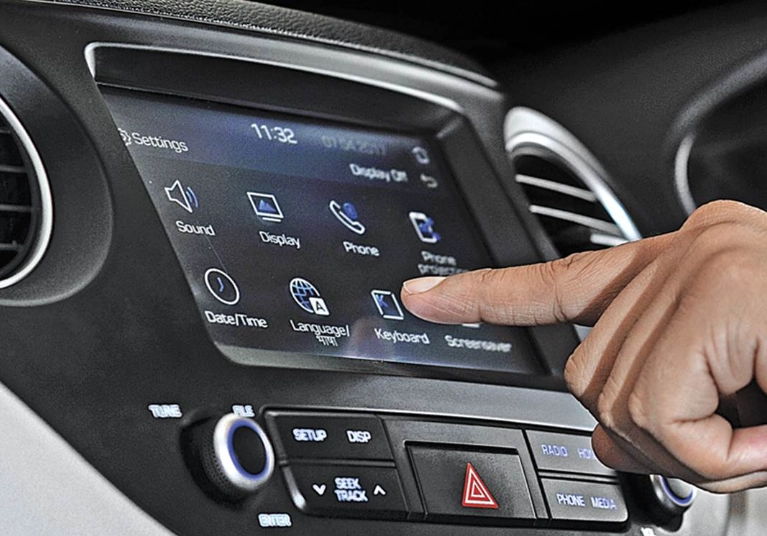
If you're considering aftermarket, brands like Pioneer, Kenwood, Alpine, and Sony are the heavyweights. Crutchfield's website is an invaluable resource – you put in your car's make/model/year, and it shows you exactly what fits and what installation parts you need. It demystifies the whole process.
The Dark Side: Common Complaints & How to Deal With Them
Let's not sugarcoat it. These systems can be problematic. Knowing the common issues helps you test for them when buying and troubleshoot them if you own.
"It's So Slow to Boot Up!"
You get in the car, start it, and... wait. For 10, 20, sometimes 30 seconds before you can even change the radio station or see the backup camera. This is often a cost-cutting measure by the carmaker – using an underpowered processor. There's little fix besides patience. When test driving, pay attention to this delay. A good system is ready almost instantly.
Touch Screen Unresponsiveness & Glitches
Screens freezing, apps crashing, reboots out of nowhere. This is software. The first step is always a system reset. Often, holding down the power button for 10+ seconds forces a reboot, just like a phone. If problems persist, check the manufacturer's website (like the NHTSA for recalls) or owner's forums for your specific model. A persistent, major software bug might require a dealer visit for a reflash. For aftermarket units, check the manufacturer's site for firmware updates you can install via USB.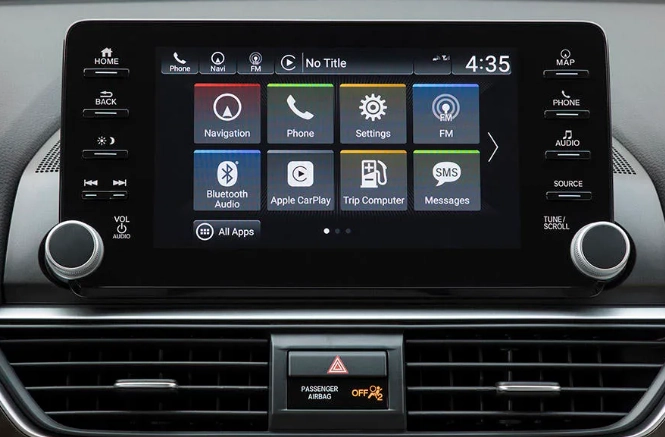
Smartphone Connection Woes
"Why won't my phone connect today?" The bane of CarPlay/Android Auto users. This is almost always a phone or cable issue first. Try a different, high-quality USB cable (for wired connections). For wireless, try deleting your phone from the car's system and re-pairing it. Sometimes, simply restarting your phone fixes it. Car software updates can also break compatibility, so keeping your phone's OS updated is key.
Pro Tip: If you rely on CarPlay/Android Auto, test it thoroughly on your test drive with YOUR phone. Bring your cable. See if the connection is stable. This is a non-negotiable check.
The Infamous Fingerprint Magnet
Glossy screens look great when clean. They are never clean. Keep a soft microfiber cloth in your door pocket. Some people apply a very mild matte screen protector designed for tablets (cut to size if needed), which drastically cuts down glare and fingerprints, but check it doesn't interfere with touch sensitivity.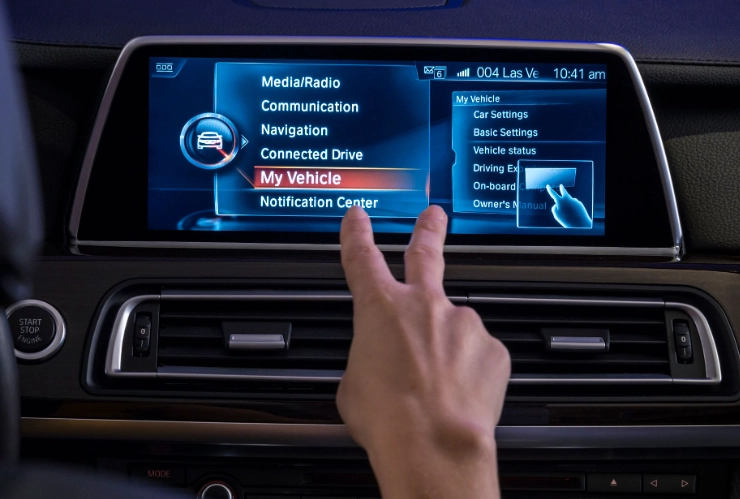
Looking Down the Road: What's Next for Car Infotainment?
The touch screen infotainment system for car isn't standing still. It's evolving rapidly, often driven by the electric vehicle makers who treat the car more like a tech gadget.
- Multiple Screens & Passenger Displays: Digital instrument clusters, center screens, sometimes even screens for rear-seat passengers. The latest trend is screens that stretch across the entire dashboard – a single, curved "panoramic" display. It's impressive, but raises repair costs and potential distraction.
- Over-the-Air (OTA) Updates: Like your phone getting iOS or Android updates. Tesla pioneered this, but now many brands (Ford, GM, Rivian) are doing it. This is a game-changer. It means your system can get new features, performance improvements, and bug fixes without ever visiting a dealer. It keeps the car feeling fresh.
- Cloud Profiles & Personalization: Your seat position, radio presets, climate preferences, and even navigation history saved to the cloud. Get in a rental car of the same brand, log in, and it feels like yours. This is the direction of companies like GM with their Ultifi system.
- Integration with Smart Home & IoT: "Hey Google, start my car and warm it up to 72 degrees" from inside your house. Or having your car automatically close your garage door as you drive away. The car is becoming another connected device in your life.
The challenge for automakers will be balancing this rapid tech innovation with simplicity, reliability, and driver safety. The most advanced system in the world is a failure if it confuses the driver.
Your Questions, Answered (The Real Ones People Ask)
The ideal touch screen infotainment system for car feels like a natural extension of the driver. It's responsive enough that you don't fight it, intuitive enough that you don't need a manual, and smart enough to get out of the way when you just want to drive. It should enhance your journey, not complicate it.
When you're looking at your next car, spend serious time with that screen. Play with it. Connect your phone. Try to do things while pretending to glance at the road. That hands-on test will tell you more than any list of features ever could. And if you're bringing an old friend into the modern age with an aftermarket unit, do your homework – the reward of a seamless, connected drive is absolutely worth the effort.
They're not perfect, but when they work well, these systems do make the modern driving experience more convenient, connected, and, yes, even a little more enjoyable. Just keep that microfiber cloth handy.