Quick Navigation
So you're asking, "What is the best GPS for cars?" Let's be honest right off the bat—there's no single magic answer that fits everyone. The "best" one completely depends on you. Are you a daily commuter fighting city traffic, a weekend road-tripper exploring backroads, or a trucker hauling freight across the country? Your needs define what "best" means.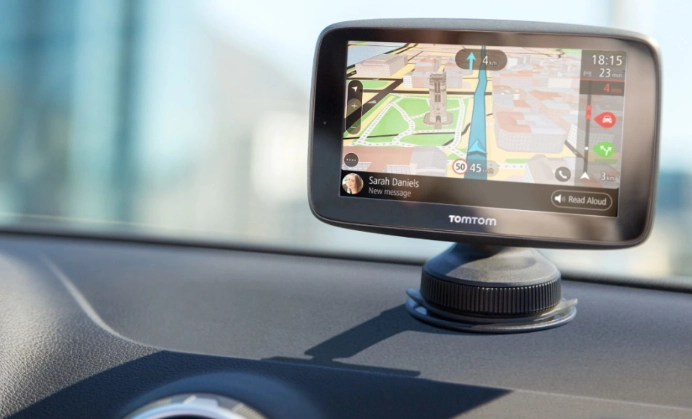
I've been down this road myself. A few years back, I relied solely on my phone. That worked until a family trip through the mountains of West Virginia. No signal. A paper map that might as well have been in Greek. We were lost for a good hour. That's when I realized the value of a dedicated device. But times have changed, and phone apps have gotten scary good.
This guide isn't about telling you to buy one specific model. It's about giving you all the tools and information you need to answer that question for yourself. We'll break down the big brands, dig into the features that actually matter (and the ones that don't), and compare them to the phone in your pocket.
The Great Debate: Dedicated GPS vs. Your Smartphone
This is the first fork in the road. Do you even need a separate gadget anymore? Let's lay out the fight.
Smartphone apps (Google Maps, Apple Maps, Waze) are incredible. They're free, updated constantly, have brilliant real-time traffic based on crowd-sourced data, and integrate seamlessly with your life. Searching for a gas station or a specific restaurant is a breeze. For probably 70% of drivers, this is the best GPS for cars they'll ever need. No upfront cost, no extra device cluttering the dash.
But they have real weaknesses.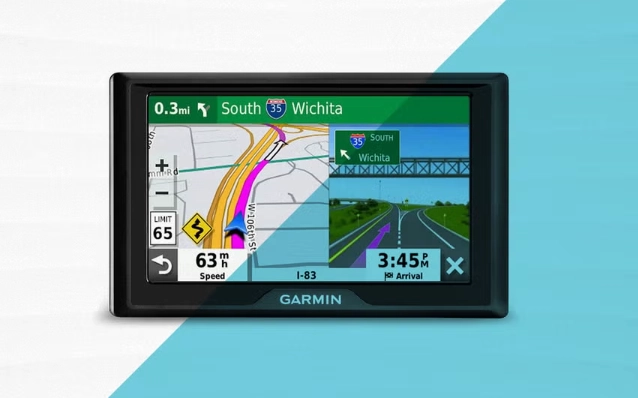
The Phone's Achilles' Heel: It needs a cellular data connection for full functionality. Venture outside strong signal areas, and your detailed maps, traffic info, and even search can vanish. Sure, you can download offline areas, but it's a manual process and often lacks the dynamic routing of a dedicated unit. Also, a phone call or notification can interrupt your navigation. And let's not forget battery drain—using GPS and data for hours on a road trip will murder your battery unless it's plugged in.
Dedicated GPS units, like those from Garmin or TomTom, are specialists. Their entire reason for being is to get you from A to B, reliably. They come with full, pre-loaded maps of your continent. No data needed for basic navigation. Their routing is often more sophisticated for trucks or RVs, considering height, weight, and cargo restrictions. The screens are bigger, brighter, and designed to be seen in direct sunlight. The voice prompts are usually louder and clearer. They mount securely and don't drain your phone.
The downside? Cost. You're paying for that specialized hardware. Map updates, while often free for the first year, might cost later (though many brands now offer lifetime updates). They don't do email or social media. Searching for a specific new business might be slower than on your phone.
| Consideration | Dedicated GPS Unit (e.g., Garmin) | Smartphone App (e.g., Google Maps) |
|---|---|---|
| Upfront Cost | $$$ ($100 - $500+) | Free (assuming you own the phone) |
| Data Dependency | Works completely offline | Requires data for full features (offline maps limited) |
| Map Updates | Pre-loaded, often free lifetime updates | Automatic & seamless via app updates |
| Real-Time Traffic | Usually requires smartphone pairing (via Bluetooth) | Built-in, excellent crowd-sourced data |
| Screen & Visibility | Large, anti-glare, designed for driving | Your phone screen, can be hard to see in sun |
| Battery Impact | None on your phone | Significant drain, requires car charger |
| Advanced Routing | Excellent for trucks, RVs, topography | Good for cars, basic for special vehicles |
| Ease of Search | Can be clunky, points of interest database | Superb, connected to the entire web |
See the trade-offs?
If your driving is mostly urban/suburban and you always have a charger, the phone wins on convenience and cost. Asking "what is the best GPS for cars" for you might just lead you to the app store.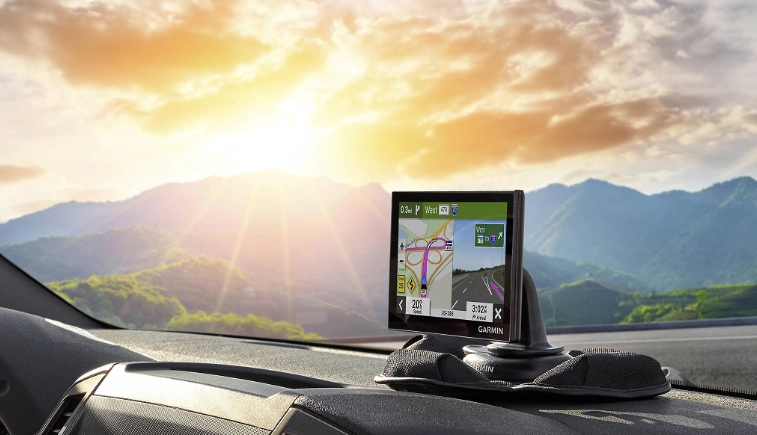
But if your travels take you off the beaten path, if you drive a large vehicle, or if you just want a hassle-free, always-there navigator that doesn't depend on cell towers, a dedicated unit is worth every penny. It's insurance against getting lost.
Key Players: A Look at the Top GPS Brands
If you've decided a dedicated unit is for you, the next question is: which brand? The market has consolidated, but two giants dominate for good reason.
Garmin: The Reliable Workhorse
Garmin is the 800-pound gorilla. They're everywhere. Their strength is in a massive model range and legendary reliability. From basic budget models to feature-packed luxury units with voice control and driver alerts, they have something for everyone.
I own a mid-range Garmin DriveSmart. I've had it for four years. It's fallen off the windshield, baked in the sun, and been through countless updates. It just works. The interface is intuitive, the maps are accurate, and the traffic alerts (when paired to my phone) have saved me from countless jams. Their ecosystem is vast—you can get models for motorcycles, RVs, trucks, and even hiking.
Where they sometimes falter: Their entry-level models can feel a bit sluggish compared to a modern phone. And while their traffic service is good, it's not quite as magically predictive as Waze's user-reported data. Still, when people ask me "what's the best GPS for cars," Garmin is usually the first name out of my mouth for a dedicated device. You're buying peace of mind. Check out their current lineup, like the popular Garmin DriveSmart 86, to see their latest tech.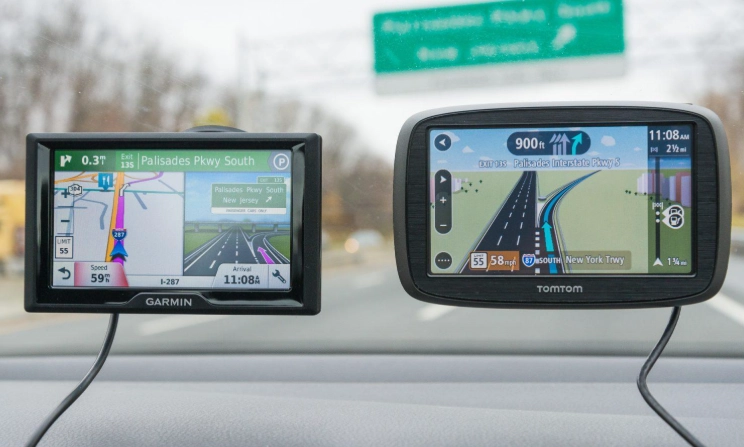
TomTom: The Innovator with Great Maps
TomTom feels a bit more... European. Sleek designs, often fantastic screen quality, and they are the originators of super-accurate, frequently updated map data that many other services license. Their routing algorithms are top-notch.
Their real-time traffic services are historically very strong, and they pioneered things like lifetime map updates. If you value cutting-edge map accuracy and clean software, TomTom is a brilliant choice. Models like the TomTom Go Comfort are fantastic all-rounders.
The catch: Their market presence in North America isn't as dominant as Garmin's, which can sometimes mean fewer physical retail options and a slightly smaller accessory ecosystem. But don't let that deter you—their products are excellent. For a deep dive into their philosophy, the TomTom auto navigation page is worth a look.
There are other brands, like Magellan, but they've largely retreated to the budget or specialty segments. For a primary car GPS, sticking with Garmin or TomTom is your safest bet for support, updates, and a proven track record.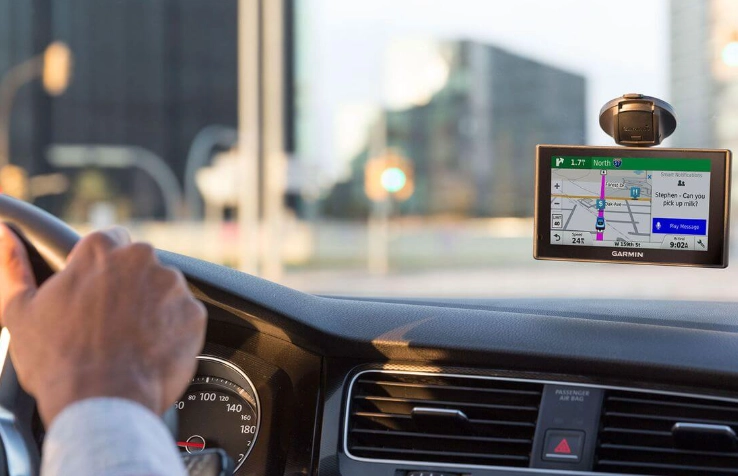
The Feature Deep Dive: What Really Matters in a Car GPS
Spec sheets are full of jargon. Let's cut through it and talk about what features will actually improve your drive.
Screen Size and Clarity
Bigger isn't always better. A 7-inch screen is a great sweet spot—easily readable without obscuring your view. More important than raw size is brightness (measured in nits) and anti-reflective coating. Can you see it clearly at noon? My old Garmin has a matte screen that handles glare way better than my phone's glossy glass.
Map Updates and Lifetime Services
This is crucial. A GPS with outdated maps is worse than useless—it's actively misleading. Always look for "Lifetime Map Updates." It's become a standard offering on mid and high-end models from both Garmin and TomTom. "Lifetime" usually means the useful life of the device, not your life. Also check for "Lifetime Traffic" updates if you want real-time congestion info. This typically works by connecting the GPS to your phone's data via Bluetooth.
Real-Time Traffic and Services
This feature reroutes you around accidents and jams. On dedicated units, it's almost always delivered via a connection to your smartphone (using apps like Garmin Drive or TomTom MyDrive). It's not quite as instantaneous as Waze, but it's very effective. Some premium models have built-in cellular modems, but that usually requires a subscription. The smartphone-link method is simpler and cheaper.
Voice Control and Hands-Free Calling
"Okay Garmin, find me the nearest coffee shop." Voice control is a game-changer for safety. It's not as comprehensive as Siri or Google Assistant, but for core navigation commands, it works well. Integrated hands-free calling via Bluetooth is also a nice bonus, letting you use the GPS's microphone and speaker for calls, keeping your phone tucked away.
Advanced Driver Alerts
This is where modern GPS units add real value beyond basic navigation. They can warn you about:
- Upcoming sharp curves (and suggest a safe speed)
- Speed limit changes and display your current speed
- Fixed safety cameras (red-light and speed cameras)
- School zones and railroad crossings
- Even potholes and sudden slowing traffic ahead (when connected)
These alerts make you a more aware, safer driver. For me, the speed limit display alone is worth it, as it's often more accurate and visible than roadside signs.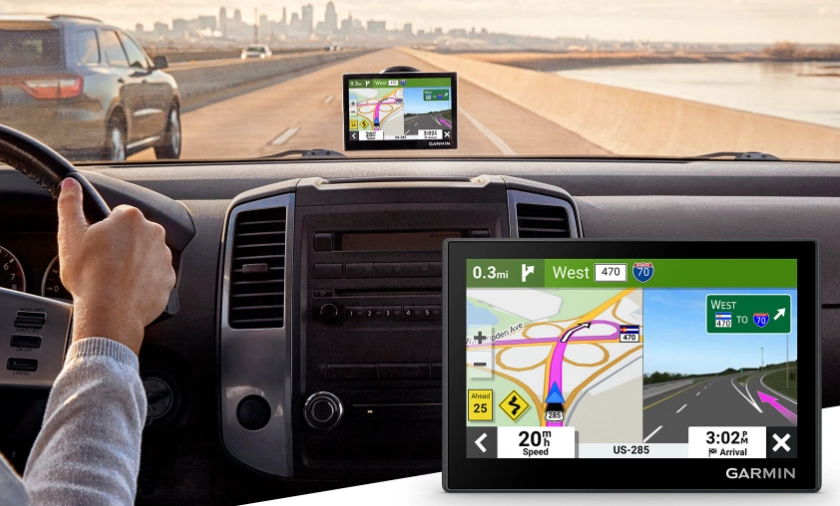
Specialized Routing
This is the killer feature for many. Are you driving an RV, a truck with a trailer, or a car with a roof box? Dedicated GPS units let you input your vehicle's exact dimensions (height, width, length, weight). They will then route you to avoid low bridges, narrow roads, weight-restricted roads, or roads unsuitable for trucks. The U.S. Department of Transportation maintains data on trucking networks, and brands like Garmin integrate this. If you have a non-standard vehicle, this feature is non-negotiable.
A friend who owns a small camper van learned this the hard way. His phone nav guided him down a "shortcut" that ended in a 10-foot ceiling bridge. He had to reverse for a mile. He bought a Garmin RV-specific unit the next day and hasn't had a problem since.
Making Your Choice: A Step-by-Step Guide
Let's get practical. Follow these steps to find your match.
Step 1: Audit Your Driving. Be honest. Is it 95% your known commute and city errands? Or do you regularly take long trips to unfamiliar areas, go camping, or drive for work? The former leans phone, the latter leans dedicated.
Step 2: Set Your Budget. You can get a solid entry-level Garmin or TomTom with lifetime maps for around $120-$150. Mid-range models with larger screens, voice control, and advanced alerts run $200-$300. High-end models with massive screens, built-in dash cams, or RV routing can hit $400-$600.
Step 3: List Your Must-Have Features. Based on what we discussed:
- For everyone: Lifetime map updates, clear screen.
- For commuters: Real-time traffic via smartphone link.
- For safety-conscious drivers: Advanced driver alerts (curve speed, cameras).
- For road-trippers & adventurers: Large screen, excellent offline routing, maybe battery life for occasional portable use.
- For RV/Truck drivers: Specialized vehicle routing INPUT. This is critical.
Step 4: Read Recent Reviews. Don't just look at the stars on Amazon. Read the most recent 1-star and 3-star reviews. What are the consistent complaints? Is it about a slow interface, a difficult mount, or spotty traffic updates? This tells you more than marketing ever will.
Step 5: Consider the Ecosystem. Do you want a matching dash cam? Garmin sells them and they integrate with some GPS models. Thinking about a backup camera? Some units support that too.
Quick Recommendations by Driver Type
The Urban Commuter (Who might still want a dedicated unit): Look at a TomTom Go Basic or Garmin Drive 52. Affordable, reliable, with lifetime maps and traffic. It's your backup for when the phone acts up or you want a permanent, mounted screen.
The Frequent Road-Tripper: Garmin DriveSmart series or TomTom Go Comfort series. 6-inch or 7-inch screen, voice control, great alerts, and reliable traffic. This is the core of the market for a reason.
The RV or Truck Driver: This is where you need the right tool for the job. Look specifically at the Garmin RV series or the Garmin dezl (for trucking). Inputting your vehicle profile is the first step, and the routing will be tailored. Don't cheap out here.
Ultimately, figuring out what is the best GPS for cars in your driveway is a personal calculation. Weigh the convenience of your phone against the reliability and features of a dedicated device.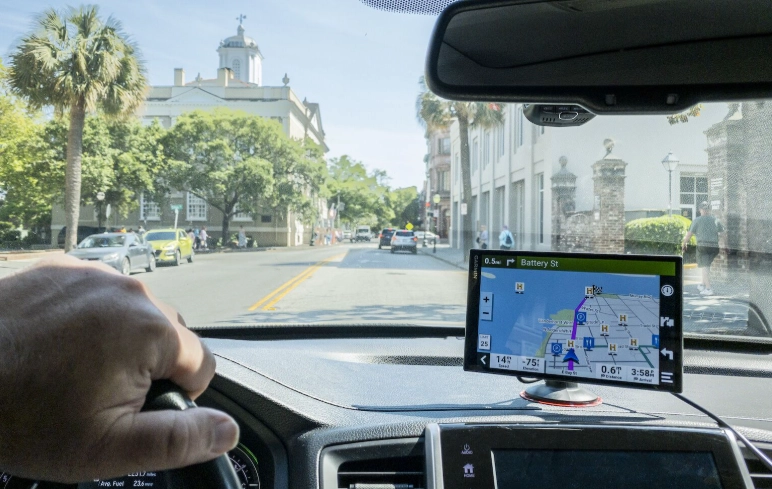
Common Questions About Car GPS Devices (Answered)
Let's tackle some of the specific questions that pop up when you're deep in this search.
Pro Tip: You don't have to choose just one. I use a hybrid approach. My Garmin is permanently mounted for all long trips and offline assurance. In daily city driving, I often use Waze on my phone for its superior real-time traffic and police alerts. Use the right tool for the specific drive.
Final Thoughts: So, What IS the Best GPS for Cars?
We've covered a lot of ground. The answer to "what is the best GPS for cars" isn't a product name. It's a set of criteria that matches your life on the road.
If your world is connected, your phone is likely your best, most integrated navigator. It's a phenomenal tool. But if your world includes dead zones, large vehicles, or a desire for a simple, reliable, driving-only device that won't quit when you need it most, then investing in a modern dedicated GPS from Garmin or TomTom is a decision you won't regret.
Think of it this way: a smartphone is a brilliant multitool. A dedicated GPS is a sharp, reliable chef's knife. Both are useful, but for the specific task of getting you somewhere safely and efficiently, especially when the conditions aren't perfect, the specialist often has the edge.
Look at your driving habits, be honest about your needs (and your phone's limitations), check out the latest models with the features we discussed, and you'll find the perfect co-pilot for your journeys. Safe travels.