In This Guide
- Smartphone vs. Garmin Car GPS: The Real-World Showdown
- Navigating Garmin's Lineup: Which "Drive" Model is for You?
- Under the Hood: Core Features That Matter
- Setting Up and Using Your Garmin: No Manual Required
- Common Questions (The Stuff You Actually Want to Know)
- The Verdict: Who Should (and Shouldn't) Buy a Car GPS Garmin
Let's be honest. My first thought when my friend mentioned he still uses a dedicated Car GPS Garmin was, "Why?" We all have smartphones with Google Maps or Waze, right? Those apps are free, updated constantly, and live in our pockets. It seemed like clinging to a flip phone in the age of the iPhone. But then I borrowed his Garmin DriveSmart 65 for a weekend trip through the patchy-cell-service mountains of West Virginia. And, well, I started to get it.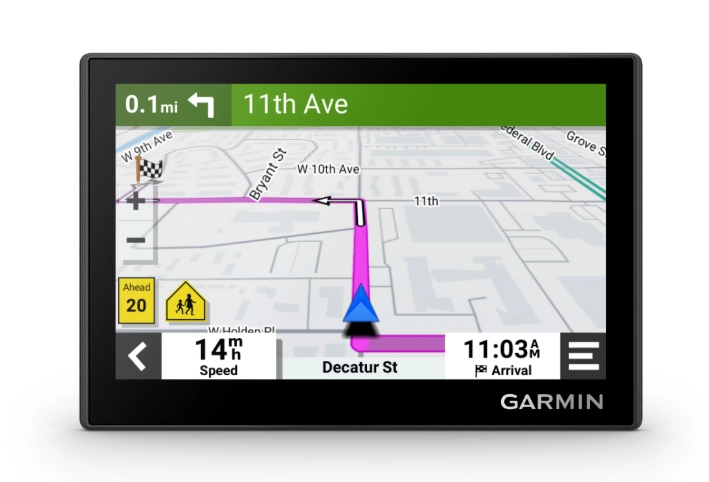
The experience was different. Not necessarily better in every single way, but fundamentally more reliable for the specific job of getting a car from A to B without drama. The screen was always on, the voice prompts were clearer, and when my phone frantically searched for a signal, the Garmin just... worked. It got me thinking about all the drivers for whom a smartphone isn't the perfect solution. The road trippers, the RVers, the delivery drivers, the people who just want a simple, dedicated device that does one thing exceptionally well.
This guide is for anyone wondering if a Car GPS Garmin is a relic or a revelation in 2024. We're not just going to list specs. We're going to dig into the real-world pros and cons, compare the confusing lineup of Garmin Drive models, and answer the big question: does spending money on a Garmin car GPS make sense for you anymore? I'll share what I learned from using one, the annoyances I encountered, and the features that genuinely surprised me.
Smartphone vs. Garmin Car GPS: The Real-World Showdown
Before we dive into Garmin's models, let's settle the big debate. Why even consider a separate device? Here’s the breakdown from my experience and from talking to long-time users.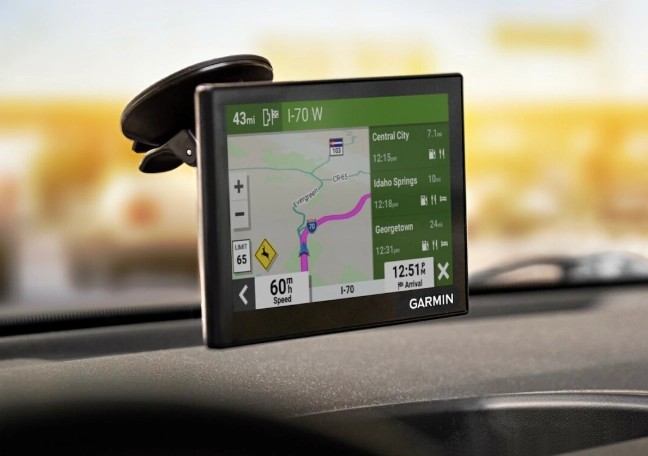
Your smartphone is a marvel. It's a computer, camera, communicator, and yes, a decent navigator. But that's the key word—*decent*. For basic city navigation with perfect cell coverage, it's unbeatable. A dedicated Car GPS Garmin, however, is a specialist. Its entire existence is about turn-by-turn navigation. This focus leads to some critical differences.
| Feature | Smartphone (Google Maps/Waze) | Dedicated Car GPS Garmin |
|---|---|---|
| Signal & Maps | Relies on cellular data or pre-downloaded areas. Can fail in dead zones. | Uses a built-in GPS receiver + pre-loaded maps for the entire continent. Works absolutely anywhere. |
| Screen & Visibility | Your phone screen, often small. Glare can be a major issue. Drains phone battery. | Larger, anti-glare screens (6-7 inches) designed for daylight. Mounts high on the dash for a quick, safe glance. |
| Real-Time Services | Excellent, crowd-sourced traffic, police alerts, and construction. Requires data. | Good traffic info via built-in receiver or smartphone link. Some models have built-in dash cam integration for incident alerts. |
| Driver Distraction | High. Notifications, calls, and texts pop up. Temptation to check other apps. | Low. It's a single-purpose device. The interface is simpler, with bigger buttons for driving. |
| Cost Upfront | Free (app). You already own the phone. | $150 - $400+ for the device. Lifetime map updates are often included. |
| Ongoing Cost | Data usage. Can be significant on long trips, especially if roaming. | Usually none after purchase. Traffic services may require a smartphone connection. |
| Voice Guidance | Can be good, but sometimes delayed or muffled by other phone audio. | Often clearer, louder, and more consistent. Pronounces street names better in my experience. |
So, who really wins? It's not a clean knockout.
I have a personal rule now. For any trip where I know I'll be off a major highway for more than an hour, or traveling through known dead zones, the Garmin comes along. It's my backup pilot. The peace of mind is worth the dashboard real estate.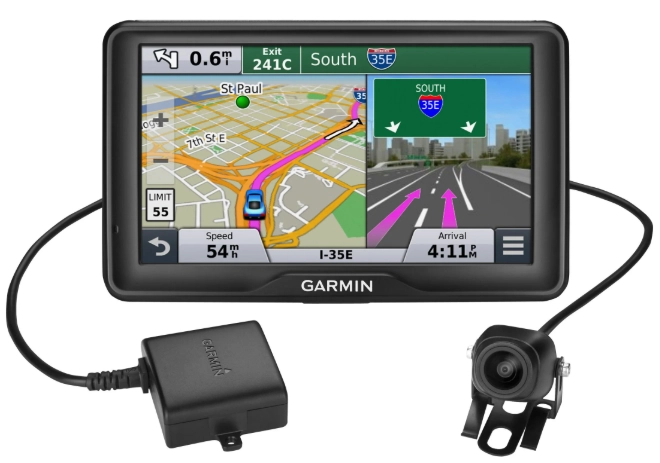
Navigating Garmin's Lineup: Which "Drive" Model is for You?
Garmin’s car GPS range is called the "Drive" series. It can be confusing. Drive, DriveSmart, DriveCam, DriveAssist... what's the difference? Let's cut through the marketing. Think of it as a ladder, with more features (and cost) as you climb.
Garmin Drive (The Basics)
This is the entry point. Models like the Garmin Drive 52 or 53 are straightforward navigators. You get a clear screen, spoken turn-by-turn directions, lifetime map updates, and basic points of interest. It connects to your smartphone via the Garmin Drive app for hands-free calling and smart notifications, but that's about it for "smart" features.
Honestly? If you just want a reliable, no-fuss device that gets you from point A to B without ever needing a cell signal, this is it. The interface is simple, almost dated. But for an older relative or someone who gets overwhelmed by tech, that simplicity is a feature, not a bug. You won't find voice control or live parking info here, but you also won't pay for them.
Garmin DriveSmart (The Sweet Spot)
This is where most people should look, and it's the category I tested. The Garmin DriveSmart series (like the 66, 76, or 86) adds the "smart" features that make the device feel modern. We're talking built-in Wi-Fi for easy map updates at home, voice control ("OK Garmin, find coffee"), and more detailed driver alerts for things like sharp curves, school zones, and speed changes.
The big upgrade here is the integration. When paired with your phone, it delivers live traffic (with re-routing), weather forecasts, and live parking information for some city centers. The screen quality is better, and some models even have built-in Amazon Alexa. The Garmin DriveSmart 66 is arguably the most popular model for good reason—it balances price and features perfectly. It's the one I'd recommend to 70% of people considering a Car GPS Garmin.
Garmin DriveCam & DriveAssist (The Specialists)
These are niche products for specific needs.
Garmin DriveCam models have a built-in dash camera. This is a brilliant all-in-one idea for security-conscious drivers. The camera records your journey, and the navigation prompts appear as an overlay on the video. If the G-sensor detects a collision, it automatically saves and locks the footage. You get navigation and a security system in one device. The video quality is good for evidence, though not as cinematic as a top-tier standalone dash cam.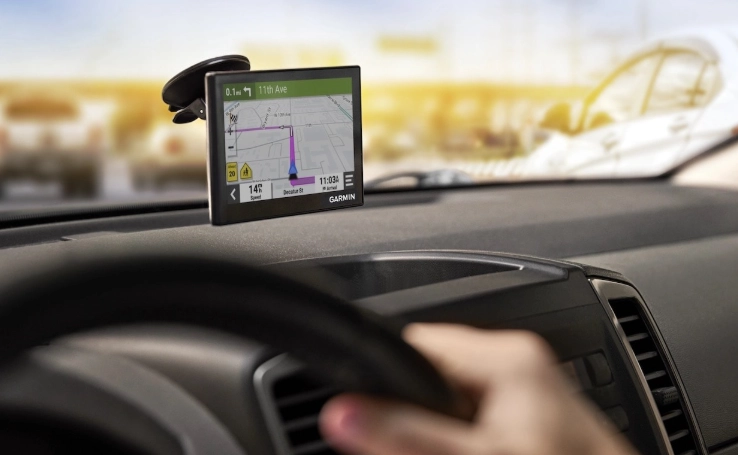
Garmin DriveAssist models take it further, adding advanced driver assistance system (ADAS) features. They use the camera to give lane departure warnings, forward collision warnings (if you're approaching a stopped car too fast), and even alerts if you seem to be drifting off the road or following too closely. It's like having a co-pilot who's watching the road for hazards beyond just traffic. This is great for long-haul drivers or anyone who wants an extra set of eyes.
Here’s a quick comparison of the current (as of this writing) core models to help you visualize the ladder:
| Model Series | Best For | Key Features | Approx. Price Point |
|---|---|---|---|
| Garmin Drive 52/53 | Budget buyers, simplicity seekers, occasional travelers. | Basic nav, lifetime maps, smartphone link for calls. | Entry-Level |
| Garmin DriveSmart 66/76 | Most drivers, road trippers, tech-savvy users. | Voice control, Wi-Fi updates, live traffic/smartphone link, driver alerts. | Mid-Range |
| Garmin DriveCam 76 | Security-focused drivers, ride-share drivers, evidence seekers. | All DriveSmart features + built-in 1080p dash cam with incident recording. | Premium |
| Garmin DriveAssist 51 | Safety-first drivers, long-distance commuters, families. | DriveSmart features + ADAS (lane departure, collision warnings). | Premium |
Under the Hood: Core Features That Matter
Spec sheets are boring. Let's talk about what these features actually mean when you're behind the wheel.
Lifetime Map Updates
This is non-negotiable. Any Car GPS Garmin you buy today should include "Lifetime Map Updates." It means you can download new map data several times a year, for free, for the life of the device. New subdivisions, changed traffic patterns, updated points of interest—you get them all. Updating over Wi-Fi (on DriveSmart and above) is a breeze compared to the old days of plugging into a computer. Garmin provides clear update schedules and tools on their official support site.
Real-Time Services & Traffic
This is the feature that closes the gap with smartphones. Most Garmin car GPS units receive traffic data one of two ways: via a built-in traffic receiver (which picks up free FM radio-based traffic signals in major metro areas) or, more effectively, via a live connection to your smartphone through the Garmin Drive app.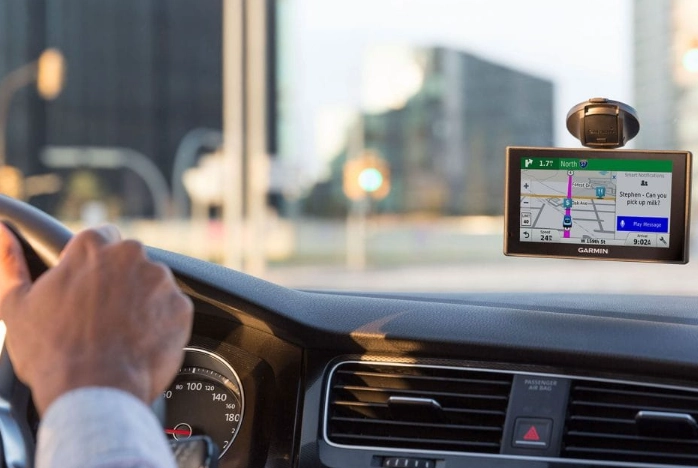
When connected to your phone, the traffic data is quite good. It shows delays, accidents, and construction. If a major slowdown appears ahead, it will often ask if you want to re-route. Is it as instantaneous and detailed as Waze's user-reported police sightings? No. But for major traffic events, it's reliable and gets the job done. The Consumer Reports review of GPS navigators consistently notes Garmin's traffic accuracy as a strong point.
Driver Alerts
This is a sleeper hit feature. Beyond just speed limits (which are sometimes outdated), Garmin devices can alert you to:
- Upcoming sharp curves (and suggest a safe speed).
- School zones (during active hours).
- Speed camera and red-light camera locations (where legally permitted).
- Railroad crossings.
- Animal crossing areas.
These aren't gimmicks. On unfamiliar backroads, the curve warning has genuinely made me slow down before a blind turn I wouldn't have anticipated. It feels like having local knowledge built-in.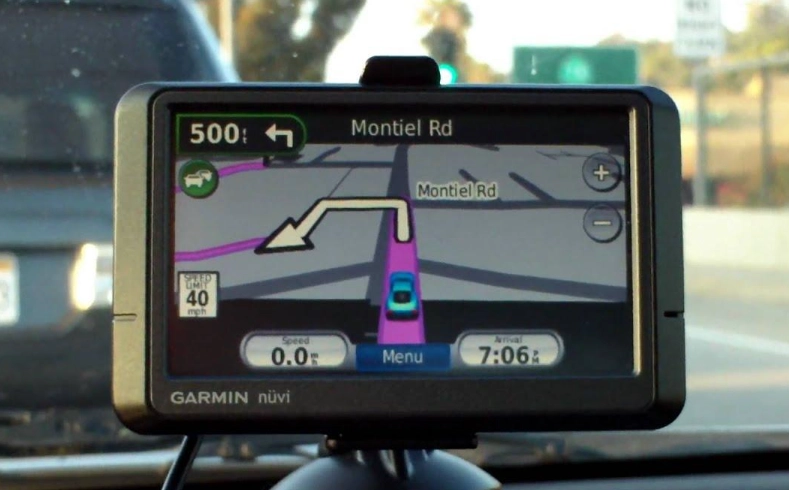
Voice Control & Hands-Free
Say "OK Garmin" and you can ask for directions, find gas, adjust volume, or cancel your route. It works without taking your hands off the wheel. When paired with your phone, it also handles calls and reads out text messages (and lets you reply with preset answers). The integration is seamless for calls—the audio comes through your car speakers via the Garmin, which is much clearer than Bluetooth phone audio in many older cars.
Setting Up and Using Your Garmin: No Manual Required
Out of the box, it's pretty straightforward. Mount it to your windshield or dash (the suction cup mounts are surprisingly strong), plug it into your 12V power outlet (cigarette lighter), and turn it on. The first start will walk you through language, time zone, and accepting terms.
The most important step is pairing it with your smartphone via Bluetooth and downloading the free Garmin Drive app. This app is the bridge for live traffic, smart notifications, and easy Wi-Fi setup. The app will guide you to connect the Garmin to your home Wi-Fi network. Do this immediately—it will trigger your first map update.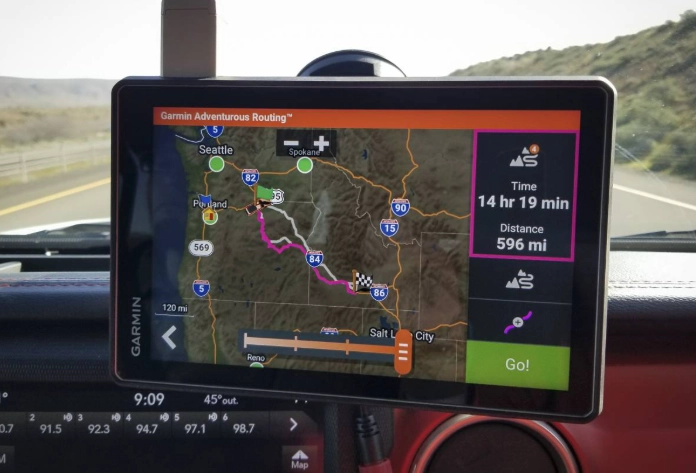
Planning a trip is simple. Tap "Where to?" and search by address, point of interest, or recently used locations. You can also plan multi-stop trips on the device or using Garmin's BaseCamp software on your computer for highly detailed, custom itineraries—a favorite among adventure motorcyclists and overlanders.
One thing I love: the trip planner shows your estimated arrival time, distance, and even fuel cost based on current fuel prices (pulled via your smartphone). It's a small touch that's genuinely useful.
Common Questions (The Stuff You Actually Want to Know)
Do I need a data plan for my Garmin car GPS?
No. The core navigation works 100% offline using pre-loaded maps. You only need a data connection (via your paired smartphone) for live services like traffic, fuel prices, and weather. The GPS signal itself comes from satellites, not cellular towers.
How accurate and up-to-date are the maps?
Very accurate for established roads. New construction can take a few months to appear in an update cycle. That's why the "Lifetime Updates" are crucial. For the most adventurous off-road or brand-new suburban developments, always double-check with a recent satellite image or local knowledge. The U.S. Department of Transportation's FHWA site is a good resource for understanding official road data sources that companies like Garmin use.
Can I use my Garmin in a rental car overseas?
Yes, if you have the right maps. Most Garmin devices sold in the US come with maps for the U.S., Canada, and Mexico. If you're going to Europe, you need to either buy a European model or purchase the European map data from Garmin. The device itself will work anywhere.
What about RVs and trucks?
Garmin makes specific models like the Garmin RV series. These are game-changers. You input your vehicle's exact height, width, length, and weight. The GPS will then route you away from low bridges, narrow roads, weight-restricted bridges, and roads unsuitable for large vehicles. For anyone towing a trailer or driving an RV, this is worth every penny and a clear reason to choose a dedicated GPS over a smartphone.
My Garmin seems slow or froze. What do I do?
Just like any computer, restart it. There's a small pinhole on the back or side for a soft reset. Press it with a paperclip. If that doesn't work, hold the power button for 10+ seconds. Also, ensure you have free space on the device by removing old map data from regions you don't need via the settings.
The Verdict: Who Should (and Shouldn't) Buy a Car GPS Garmin
After all this, let's get decisive.
You should seriously consider a Car GPS Garmin if:
- You frequently travel in areas with poor or no cellular coverage.
- You take long road trips and want to conserve your phone's battery and data.
- You drive an RV, tow a trailer, or drive a large truck.
- You find smartphone navigation distracting or hard to see/glare-prone.
- You want a permanent, dedicated navigation device that's always ready in your car.
- You're planning a major overseas driving trip and want reliable offline maps.
You can probably skip it and stick with your smartphone if:
- You almost exclusively drive in and around a major city with excellent 5G coverage.
- You rely heavily on the hyper-local, real-time reporting of apps like Waze.
- You're on a very tight budget and cannot justify the upfront cost.
- Your car has a fantastic, well-integrated built-in navigation system (like some newer GM, BMW, or Tesla systems).
For me, the Car GPS Garmin has earned a permanent spot in my glove box. It's not about replacing my phone. It's about having a specialist tool for a specific job. When reliability is paramount, when the stakes of getting lost are higher, or when I just want to put my phone away and drive, the Garmin is there. It's a focused, dependable piece of technology in a world of multitasking, battery-draining, notification-buzzing gadgets. And sometimes, focus is exactly what you need.