Your Navigation Guide
- The Core of the Debate: What Are We Actually Comparing?
- Breaking Down the Big Factors: A Head-to-Head Showdown
- The Decision Matrix: Which One is Actually Better for YOU?
- Feature Comparison at a Glance
- The Hybrid Approach: Getting the Best of Both Worlds
- Final Thoughts: It's About the Right Tool for the Trip
I remember it clearly. I was driving through the mountains of West Virginia, following Google Maps like I always do. The scenery was stunning, but my signal bars? They were disappearing faster than my coffee. Suddenly, the screen froze. "Searching for GPS..." it said. I had no clue where the next turn was, and the printed directions I'd arrogantly left at home were laughing at me from my kitchen table. That moment, a dusty old thought popped into my head: is a car GPS better than Google Maps in situations like this? Maybe that dedicated Garmin unit my dad swears by wasn't just a relic after all.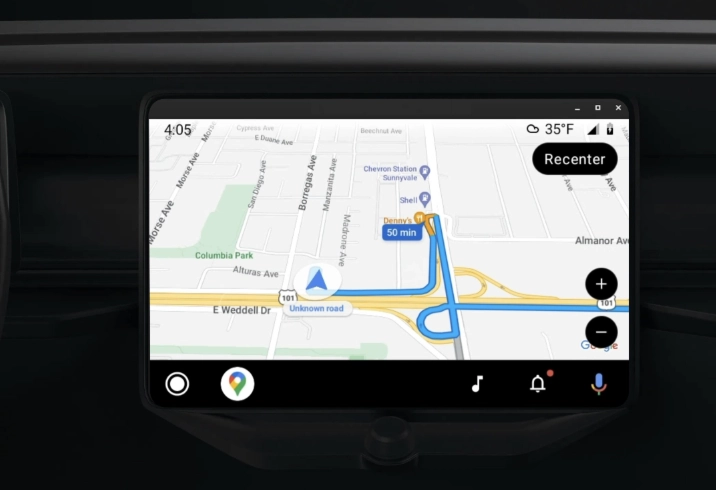
This isn't just about my little adventure. It's a question millions of drivers grapple with. We've all got smartphones glued to our hands, with navigation apps that feel like magic. Why would anyone bother with a separate device? But then you talk to a long-haul trucker, or a friend who loves camping in national parks, and they'll tell you a different story. The truth is, the answer to "is a car GPS better than Google Maps" isn't a simple yes or no. It's a big, messy, "it depends." And that's exactly what we're going to untangle here. We'll look at it from every angle—reliability, features, cost, the whole shebang—so you can figure out which tool deserves the prime spot on your dashboard.
The Core of the Debate: What Are We Actually Comparing?
Before we dive into the nitty-gritty, let's define our players. When I say "car GPS," I'm talking about those dedicated navigation devices from companies like Garmin and TomTom. You buy them once, stick them on your windshield or dash, and they live in your car. They have built-in GPS antennas and pre-loaded maps. Their whole reason for existing is to get you from A to B.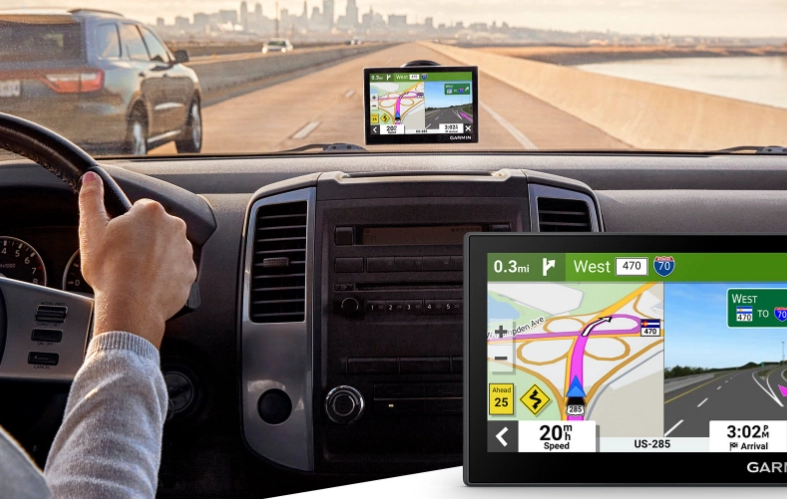
Google Maps, on the other hand, is an app. It's a multi-tasking superstar on your phone that also happens to do navigation. It relies on your phone's data connection (for the most part) and its GPS chip. It's connected to the internet, which is both its greatest strength and its most glaring weakness.
So, is a car GPS better than Google Maps? Well, you're comparing a dedicated power tool to a incredibly versatile Swiss Army knife. Both are useful, but you'd use them for different things.
Breaking Down the Big Factors: A Head-to-Head Showdown
Signal Reliability and Offline Functionality
This is the mountain that made me question everything. Dedicated car GPS devices use what's called a satellite-based GPS receiver. They talk directly to the GPS satellites orbiting the Earth. No cell towers needed. This means they work in the middle of the desert, in deep canyons, and on forgotten forest service roads. The signal might be weaker in some places, but it's almost always there.
Google Maps primarily uses something called Assisted GPS (A-GPS). It uses the phone's GPS chip assisted by cell tower and Wi-Fi data to get a faster, initial lock. The problem? If you lose that cell connection, the entire experience can become fragile. Sure, you can download offline areas in Google Maps, which is a lifesaver feature. I use it all the time for cities I'm visiting. But it's not the same. The offline maps are limited in size, you have to remember to update them manually, and routing options can be more basic. If you stray outside your downloaded zone, you're back to the "Searching for GPS" screen.
A car GPS has the entire continent's road network stored inside it. Always. No downloading, no worrying about data limits. For reliability in remote areas, the dedicated device wins, hands down. This is the single biggest reason people still buy them.
Maps and Updates: Freshness vs. Permanence
Google Maps is updated near-constantly. New roads, changed traffic patterns, even new businesses appear sometimes within days. This dynamism is incredible for urban and suburban navigation. The map feels alive. The updates are automatic and free.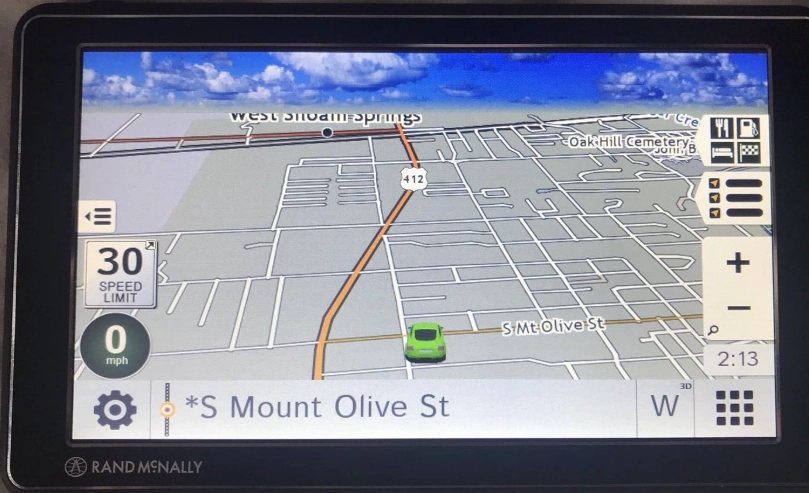
Car GPS units require manual updates. You connect the device to your computer or Wi-Fi (on newer models) and download the latest map data, usually a few times a year. Manufacturers like Garmin often provide the first few updates for free, then charge a subscription fee (typically $50-$100 per year). If you don't update, your maps get stale. I've seen folks with units from 2015 trying to navigate new suburban sprawl, and it's not pretty. They get routed onto roads that no longer exist.
So, for map freshness, Google Maps is the clear winner. But here's the twist: for the vast majority of established highways, interstates, and city streets, the map on a car GPS from a year or two ago is still perfectly accurate. The issues arise with new developments and major construction projects.
Live Traffic, Speed Cameras, and "Smart" Features
Google Maps thrives on live data. Its traffic information, gathered anonymously from millions of other phones using the app, is arguably the best in the world. It reroutes you in real-time around accidents and congestion. It shows you how busy a restaurant is right now. This is its killer feature for daily commuting.
Modern car GPS units aren't dumb bricks. Most mid-to-high-end models now include live traffic via a connection to your smartphone (Bluetooth) or built-in cellular data. They also offer driver alerts for speed cameras, red-light cameras, and speed limit changes. Some, like certain Garmin models, even have dash cam integration. However, the depth and accuracy of the live traffic data often don't quite match the sheer scale of Google's data pool. It's good, but it's not quite as magical.
Where car GPS devices often excel is in driver-centric information. They persistently show your current speed and the speed limit. They give more prominent, lane-specific guidance well in advance of complex highway interchanges. The screen is always on and dedicated to the task—no notifications from texts or emails popping up to distract you.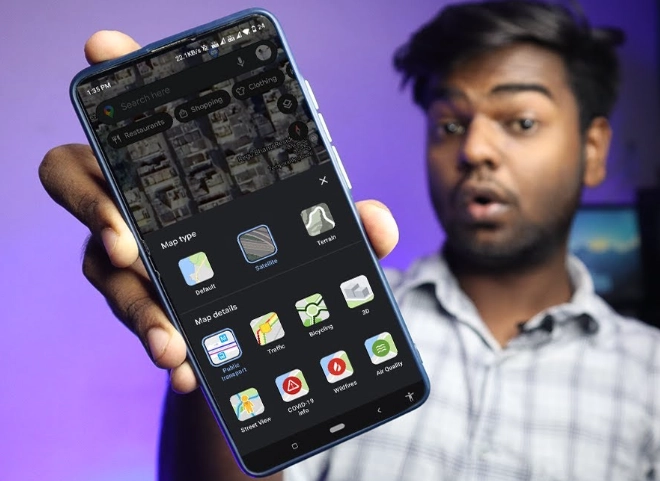
Cost and Convenience
Okay, let's talk money. Google Maps is free. That's a powerful argument. You already have the phone, and the app doesn't cost a dime to use (aside from your data plan, of course).
A decent car GPS unit will set you back between $100 and $300 upfront. Then there's the potential for map update subscriptions. You also have to deal with another device—mounting it, plugging it into your car's power, and occasionally taking it down to avoid theft.
On the convenience front, Google Maps is deeply integrated with your life. You can look up an address on your laptop and send it directly to your phone. You can search for "gas stations near me" or "Italian restaurants" on the fly with your voice. A car GPS requires you to input addresses manually or use pre-set Points of Interest (POIs), which can feel clunky in comparison.
But here's the other side of the convenience coin: simplicity. My dad turns on his Garmin, and it just works. No checking if he has a data signal. No worrying about his phone battery dying from screen-on time and GPS use. No fumbling with his phone when a call comes in mid-navigation. For him, that dedicated simplicity is the ultimate convenience.
The Decision Matrix: Which One is Actually Better for YOU?
Forget the blanket statement. Let's get practical. The real question isn't "is a car GPS better than Google Maps," but "for MY specific driving, is a car GPS better than Google Maps?"
Scenario 1: The Daily Commuter & City Driver
You drive in and around a major city or suburb. Your routes are mostly predictable, but traffic is your nemesis. You need to know about accidents, road closures, and the fastest route right now.
The Verdict: Stick with Google Maps (or Waze). The live traffic data and constant updates are unbeatable for this use case. A car GPS is overkill and less effective here.
Scenario 2: The Long-Distance Road Tripper & Rural Explorer
You love driving cross-country, visiting national parks, or exploring backroads. You frequently find yourself in areas with spotty or non-existent cell service. Reliability is your top priority.
The Verdict: A dedicated car GPS is a wise investment. The peace of mind of having always-available maps is worth the cost. Use it as your primary, and keep Google Maps on your phone as a brilliant backup for when you have service (to find hotels, restaurants, etc.).
Scenario 3: The Professional Driver (Trucker, Delivery, Sales)
You drive for a living. You need reliable routing, often for larger vehicles. You might need features like truck-specific routing (avoiding low bridges, weight limits), detailed logging, or integration with fleet management.
The Verdict: A professional-grade car GPS (like a Garmin dezl for trucks) is essential. Consumer apps like Google Maps aren't built for these specialized needs. The Garmin automotive GPS lineup includes models specifically designed for these use cases, with features general apps can't match.
Feature Comparison at a Glance
| Feature | Dedicated Car GPS (e.g., Garmin) | Google Maps (Smartphone App) |
|---|---|---|
| Core Map Access | Fully pre-loaded, always available. | Streamed via data; requires offline download for no-service areas. |
| Live Traffic Data | Yes (via smartphone link or built-in cellular on some models). Quality is good. | Yes. Exceptional, industry-leading quality and real-time rerouting. |
| Map Updates | Manual, periodic (quarterly/annual). Often requires a subscription fee after first year. | Automatic, continuous, and free. |
| Upfront Cost | $100 - $300+ for the device. | Free (requires a smartphone). |
| Ease of Address Input | Can be slower; manual entry or limited POI search. | Superior. Voice search, integration with contacts/web search. |
| Driver-Focused Display | Excellent. Persistent speed/speed limit, large lane guidance, no distractions. | Good, but notifications and other apps can interrupt. |
| Specialized Routing | Available (Truck, RV, Motorcycle modes on specific models). | Limited to car, walking, biking, transit. |
| Battery Impact on Phone | None. Uses its own power. | Significant. Drains phone battery quickly. |
The Hybrid Approach: Getting the Best of Both Worlds
For many people, especially those who fall into Scenario 2 (the road tripper), the smartest move isn't choosing one over the other. It's using both strategically. This is what I do now after my mountain mishap.
I plan my long trips on my computer using Google Maps for its great overview and ability to add multiple stops. I then input the key destinations into my (now purchased) car GPS as my primary navigator for the road. My phone, running Google Maps in the background with the offline area downloaded, sits in a cup holder as a silent backup. If I need to find a specific gas station brand or a highly-rated local diner, I'll ask Google Maps on my phone (when I have service). For the core job of keeping me on the right road through uncertain territory, the dedicated GPS takes the lead.
This approach combines the always-there reliability of the car GPS with the dynamic search power and fresh data of Google Maps. It's the ultimate safety net.
Your Navigation Questions, Answered
Final Thoughts: It's About the Right Tool for the Trip
Look, I love Google Maps. It's my go-to 95% of the time. It's an engineering marvel. But that experience in the mountains was a humbling reminder that technology has edges. There are places where the connected world fades, and you need something that just works on its own terms.
So, after all this, what's the final answer to is a car GPS better than Google Maps?
For most everyday driving in connected areas, no, it's not better. Google Maps (or Apple Maps, or Waze) is more powerful, free, and integrated. It's the better general-purpose tool.
But for anyone whose driving regularly takes them beyond the reliable blanket of cell service, or who values absolute simplicity and a distraction-free screen, a dedicated car GPS isn't just better—it's essential. It's the difference between confident exploration and hopeful guessing.
The best navigation system is the one that gets you where you're going safely and without stress, wherever that might be. Sometimes that's an app. Sometimes it's a dedicated device. And sometimes, for the best of all worlds, it's both sitting on your dashboard, ready for anything the road throws at you.