Quick Navigation
You're standing in the grocery store parking lot, arms full of bags, and you press the button on your car key. Nothing happens. You press it again, harder this time, as if that will help. Still nothing. The little red light that usually blinks back at you is dead. That sinking feeling hits – is the key broken? Is the car broken? The bill for a dealership visit flashes before your eyes.
Take a deep breath. Ninety-nine times out of a hundred, the problem isn't your car, your key's electronics, or some expensive malfunction. It's almost certainly just a dead key fob battery. And the good news? Replacing a key fob replacement battery is one of the easiest, cheapest DIY fixes you can do for your car. I'm talking five minutes, a couple of bucks, and zero special tools for most models. Seriously, if you can open a DVD case (remember those?), you can probably handle this.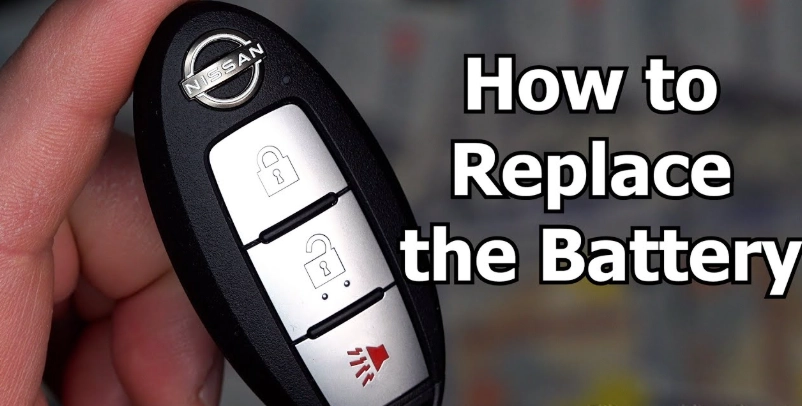
I've been there – fumbling in the dark, wondering if I'm about to break a $400 key. I've also used the wrong battery type and had to do the whole thing over again. This guide is everything I wish I'd known, boiled down into simple steps. We'll cover how to know for sure it's the battery, how to crack open your specific fob, what battery to buy (this is where most people get tripped up), and what to do if things still don't work afterwards.
Is It Really the Battery? Diagnosing a Dying Key Fob
Before you start prying anything open, let's confirm the suspect. A dying key fob battery doesn't always just give up one day. It often sends out distress signals first. Here are the classic symptoms, straight from the "my key is being weird" playbook:
- The Range Shrinks: You used to unlock your car from across the parking lot. Now you have to be right next to the door. This is the most common early warning sign.
- It's Inconsistent: It works on the first press sometimes, but you have to mash the button five times on others. Or it works fine pointing at the driver's door but not the passenger's.
- The Little Light Gets Dim (or Disappears): Most fobs have a tiny LED that flashes red or green when you press a button. If that light is noticeably dimmer than it used to be, the battery is on its way out.
- Total Failure: No response at any range. No light. This is the final stage.
Here's a quick trick. Try using the physical key blade (if your fob has one) to unlock the door. Then, immediately try to start the car with the fob inside the vehicle, often by pressing the start button with the fob itself. If the car starts, the fob's electronics are fine – it's just the battery's wireless signal that's dead. That's a huge relief.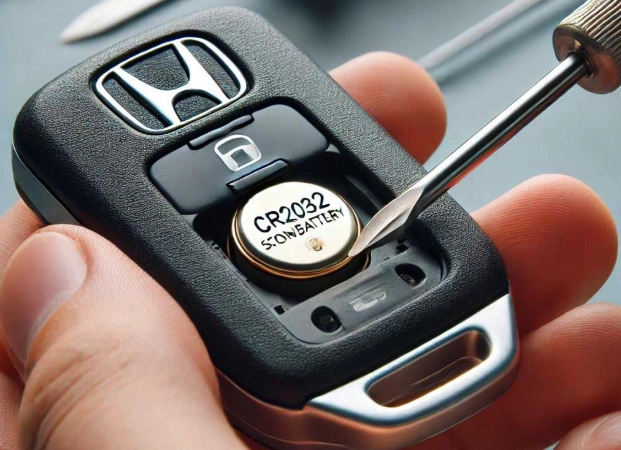
The Universal First Step: Finding the Battery Info
This is the most critical step that everyone rushes past. Don't just run to the store and grab any coin-shaped battery. Using the wrong one can, at best, not work, and at worst, potentially cause issues due to slight differences in voltage or thickness.
The battery type is almost always printed inside the key fob, right next to the battery compartment. You have to open it to see it. But wait, you need to know the battery type to buy it before you open it, right? It's a chicken-and-egg problem.
Here's the solution: look up your specific vehicle. The battery type for your car's key fob is standard across that model. A quick online search for "[Your Car Year, Make, Model] key fob battery type" will give you the answer instantly. For example, a 2018 Honda Civic almost always uses a CR2032. A 2020 Ford F-150 typically uses a CR2450.
To save you some searching, here's a table of the most common key fob replacement battery types you'll encounter. Remember, always double-check for your specific vehicle.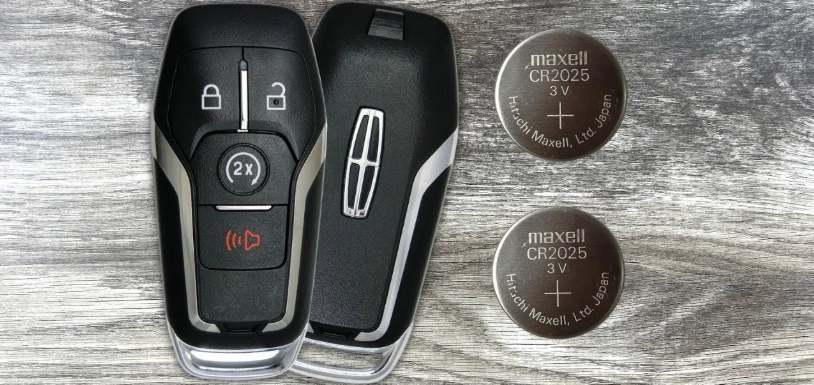
See that "CR" prefix? It stands for Lithium Manganese Dioxide. These are the standard, non-rechargeable batteries for key fobs. You can find them anywhere – supermarkets, pharmacies, electronics stores, or online. I personally prefer buying name-brand ones (Duracell, Energizer, Panasonic) from a reputable store. I've had a pack of suspiciously cheap no-name batteries die in under six months. Not worth the hassle for a $4 battery.
The Hands-On Part: How to Actually Replace the Battery
Okay, you've got your new battery. Let's get into it. The process is generally the same, but opening the fob is where designs differ. The goal is to separate the two halves of the plastic shell without breaking any plastic clips.
Step 1: Locate the Seam and Release Mechanism
Put the key fob on a soft, well-lit surface – a towel on a table is perfect. Examine the edges. You're looking for a thin seam running around the middle. Sometimes there's a tiny slot for a flathead screwdriver. Other times, there's a small release button you need to press (often on the side where the key ring goes) while pulling the halves apart.
For many modern, solid fobs (no physical key visible), the entire metal key blade is hidden inside. You'll see a small release catch on the fob's side. Slide or press it, and the metal key will slide out. That key isn't just for your door – the slot it came out of is also the tool to pry the fob open. Neat, huh?
Step 2: Gently Pry It Open
This requires patience, not force. If you have the hidden key, use its tip in the seam. If not, a thin flathead screwdriver, a guitar pick, or even a sturdy fingernail will work.
Insert your tool into the seam and gently twist. You should hear or feel a soft *click* or *pop* as a plastic clip releases. Work your way around the fob, releasing one clip at a time. Don't try to lever one side all the way up at once. Go slow.
I once got impatient with an old Audi fob and snapped a tiny internal clip. The fob still closed, but it never felt quite right again and would occasionally pop open in my pocket. Lesson learned.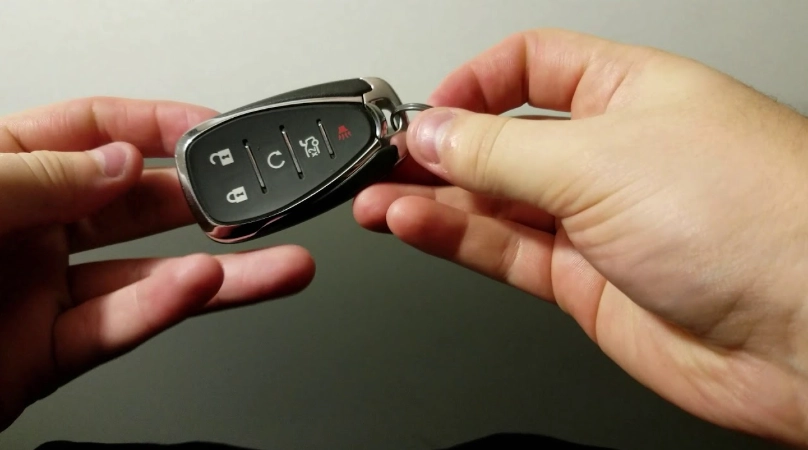
Step 3: The Battery Reveal
Once the halves are separated, you'll see the circuit board. The battery will be right there, usually in a little circular holder. Now, verify the battery model number printed next to it matches what you bought. This is your final check.
Notice how the battery is sitting. See the plus (+) and minus (-) signs stamped on the holder or the circuit board? The battery itself will have the positive side (usually the side with the writing and model number) facing up or down. Take a picture with your phone before you remove the old one. This is your insurance policy for correct installation.
Step 4: Swap the Batteries
Removing the old battery can be tricky. Sometimes it's held in with a little metal clip you bend back. Sometimes it's just sitting in a tight compartment. You can use a non-metallic spudger, the tip of a plastic pen, or even a toothpick to gently lever it out. Avoid using metal tools directly on the battery or contacts if you can help it.
Take your new battery and place it in exactly the same orientation as the old one. Positive side facing the same direction. It should snap or slide into place cleanly. If you have to force it, it's probably upside down or the wrong model.
Step 5: Reassemble and Test
Before you snap the fob back together, test it! Bring the two halves close enough so the battery contacts touch the circuit board, but don't clip it shut. Point it at your car (or just away from you) and press a button.
See that little LED light up brightly? That's the sound of success (well, the sight of it). Now you can firmly press the two halves together until all the clips snap back into place. Go around the edges and squeeze gently to ensure it's fully sealed.
Walk out to your car and test the lock, unlock, and trunk buttons from a reasonable distance. Everything should be back to normal.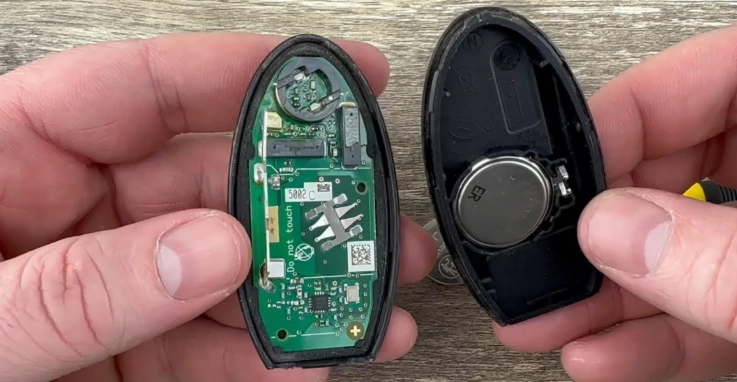
What If It Still Doesn't Work? Troubleshooting the Key Fob Replacement
Sometimes, you do everything right and the fob is still dead. Don't panic. It's rarely a catastrophe. Let's run through the checklist.
- Battery Orientation: This is the #1 mistake. You put the battery in upside down. Open it up again and flip it. Refer to that photo you took.
- Dead New Battery: It's rare, but it happens. Do you have a multimeter? A fresh CR2032 should read about 3.3 volts. If you don't have one, do you have another device that uses the same battery (like a kitchen scale or another fob)? Try the new battery in that device to confirm it's good.
- Dirty Contacts: Over years, the little metal springs or contacts in the battery holder can get dusty or corroded. Use a cotton swab with a tiny bit of isopropyl alcohol (rubbing alcohol) to gently clean the contacts on both the fob and the battery. Let it dry completely before reinserting the battery.
- You Bumped Something Loose: When prying the fob open, it's possible (though not super common) to dislodge a tiny button contact or slightly unseat the circuit board. Open it back up and gently press down on all components to ensure they're seated properly.
- The Fob Needs Re-synchronization: This is a big one that catches people off guard. On some car models, completely draining the battery can cause the fob to lose its "handshake" with the car. The fix is usually a simple procedure you can do yourself.
For that last point, the resync procedure is often something like: Sit in the driver's seat with doors closed. Put the key in the ignition (or press the start button with the fob itself if push-button). Turn to the "On" position (don't start the engine) and then back to "Off." Then, press and hold the Lock button on the fob for 5-10 seconds. You might hear the locks cycle. This is a generic example – the exact steps vary wildly by manufacturer.
Where do you find the exact steps for your car? Your owner's manual. It's the definitive source. If you've lost it, a quick search on the official automaker's website often has digital versions. For instance, you can find Honda's official owner's manuals at owners.honda.com. Toyota's are at toyota.com/owners. These are primary sources, not third-party blogs, so the information is reliable.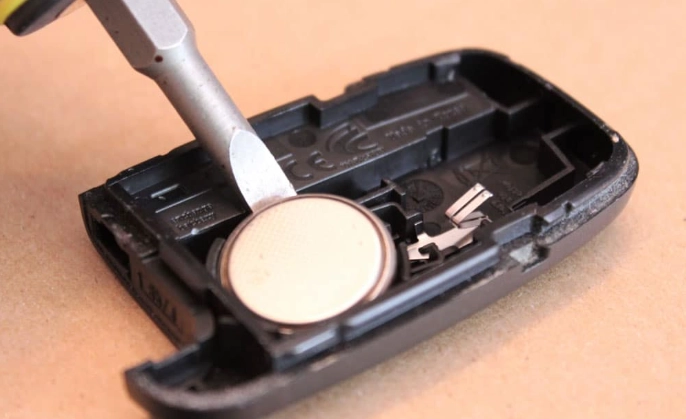
Beyond the Basics: What Else You Should Know
You've mastered the swap. Let's dive into some of the other questions that pop up.
Disposing of the Old Battery
Don't just toss the old lithium battery in the trash. It's bad for the environment. These batteries should be recycled. Most big-box stores like Best Buy, Home Depot, or Lowe's have battery recycling bins right at the entrance. Many supermarkets and pharmacies do too. It takes two seconds and is the right thing to do. The U.S. Environmental Protection Agency (EPA) has guidance on battery recycling that underscores its importance.
A Note on Professional Help
For 95% of cars on the road, this is a pure DIY job. However, there are a few exceptions. Some very high-end cars (think certain Bentleys, Rolls-Royces) have sealed, non-serviceable fobs designed to be replaced as a whole unit at the dealer. Also, some modern fobs with integrated proximity sensors (the kind that let you walk up to the car and touch the handle to unlock) can be more complex. If you're unsure, a call to a local locksmith who specializes in automotive keys or a quick search on a model-specific forum can give you the confidence to proceed or confirm it's a dealer item.
Speaking of expertise, organizations like the Battery Council International (BCI) provide technical specifications and safety standards for all battery types, which is where manufacturers get their baseline data from.
A dead key fob feels like a big inconvenience, but it's a tiny, fixable problem. With the right battery, a gentle touch, and this guide, you can solve it in minutes for the cost of a coffee. You'll save yourself a trip to the dealership (who might charge $20 or more for the same five-minute job) and gain that little bit of satisfaction that comes from fixing something yourself. Keep an extra battery in your glove box. Your future self, standing in another rainy parking lot, will thank you.