快速导览
- Why Bother Upgrading? It's More Than Just Directions
- Your Main Roads: Factory vs. Aftermarket Navigation
- Choosing the Right System: Features That Actually Matter
- The Installation Saga: DIY, Pro, or Something in Between?
- Cost Breakdown: The Real Price of a New Nav System
- Common Pitfalls and How to Dodge Them
- Frequently Asked Questions (The Stuff You're Secretly Searching)
- Will putting an aftermarket navigation system in my car void the warranty?
- What's the best navigation system to put in an older car?
- Can I install just a navigation system without replacing my entire stereo?
- How difficult is it to install a system with a backup camera?
- My car has a factory amplifier. Is this a huge problem?
Let's cut straight to the chase. You're staring at your dashboard, maybe at an empty slot or a basic radio, and you're thinking about all those times Google Maps on your phone fell flat. The signal dropped, the screen dimmed, or you just missed a turn while fumbling with a tiny device. That burning question pops into your head: can I put a navigation system in my car that's actually built-in and reliable?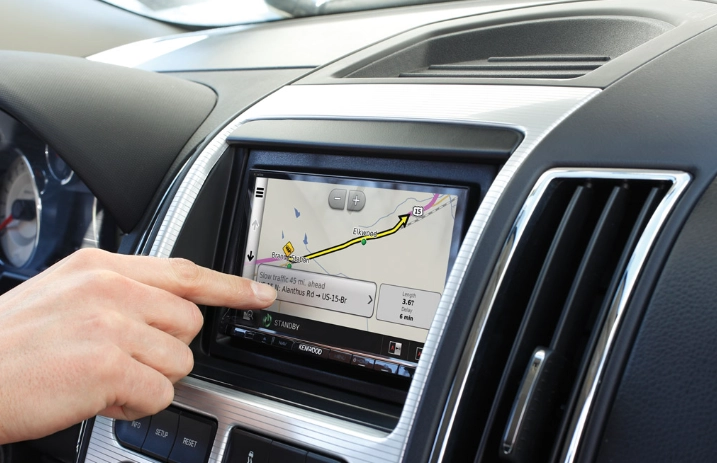
The short, simple answer is yes, absolutely. In almost every case, you can. Whether you drive a 2005 sedan with a cassette player or a 2018 model with a basic screen, the aftermarket world has you covered. But the real story isn't just a yes or no. It's about figuring out how, what kind, and whether it's worth the hassle and cash for you personally.
I've been through this myself. My old truck had nothing but static and a paper map holder. I tried the phone mount life, and it was a mess of cables and overheated batteries. So I dove in. I researched, I bought a unit, and I even attempted a DIY install (more on that adventure later). This guide is everything I wish I knew before starting. We'll talk about your options, the costs you don't see coming, the installation nightmares to avoid, and how to pick the right system so you don't waste your money.
Why Bother Upgrading? It's More Than Just Directions
Before we get into the nuts and bolts of installing a new nav system, let's talk about why you'd want to. Sure, getting from A to B is the obvious part. But a modern system does way more.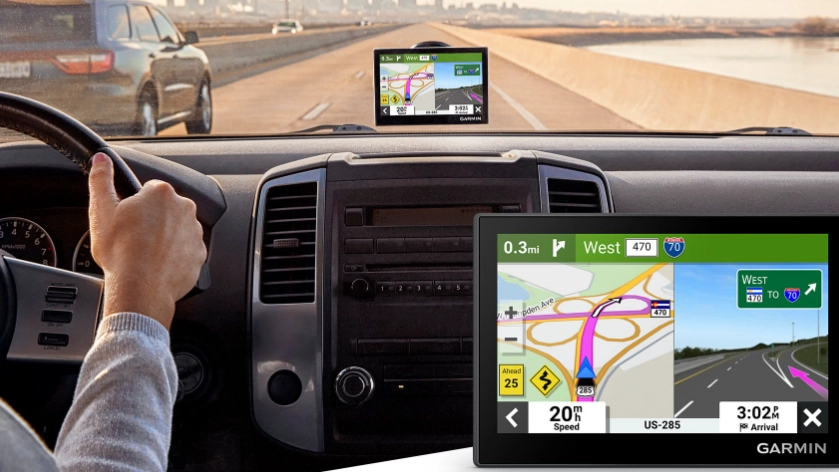
First, there's safety. Glancing down at a phone in a cup holder is a recipe for trouble. A dedicated, dash-mounted screen is at eye level. Many systems also integrate with your car's speakers for loud, clear voice guidance, so you can keep your eyes on the road. Organizations like the National Highway Traffic Safety Administration (NHTSA) constantly warn about the dangers of distracted driving, and a proper system is a step towards minimizing that risk.
Then there's convenience. Real-time traffic. Road closures. Automatic rerouting. My phone's maps are good, but a dedicated unit with a built-in SIM or connected to your phone via Android Auto/Apple CarPlay often gets updates faster and doesn't drain your phone's battery or data plan as aggressively. Plus, no more "Sorry, I lost GPS signal in this tunnel."
And let's be honest, it just feels better. It makes an older car feel newer, more connected. If you plan to sell your car down the line, a modern infotainment system with navigation can actually add to its resale value. It's a functional upgrade that you enjoy every single day.
Your Main Roads: Factory vs. Aftermarket Navigation
When you ask "can I put a navigation system in my car," you're usually looking at two broad paths.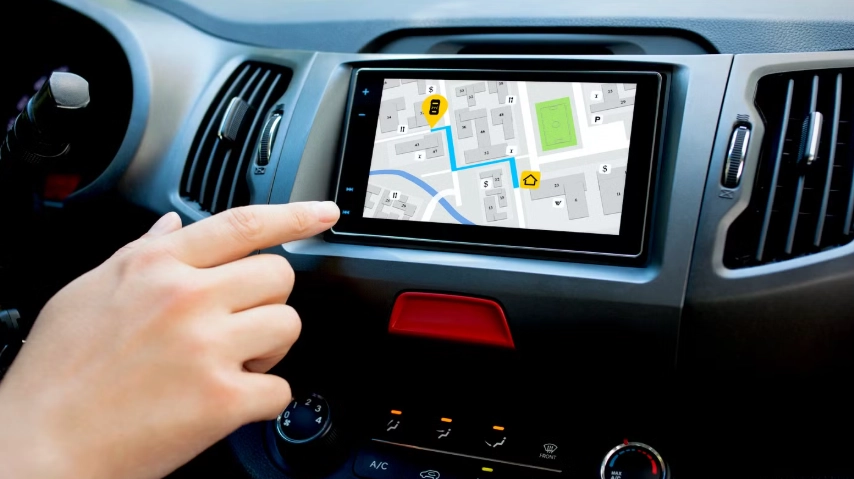
The Factory Upgrade Path
This is for newer cars that came with a basic radio but had a higher-trim model that included a navigation unit. Sometimes, the wiring is all there, and it's a matter of swapping the head unit and maybe getting the dealer to program it. Is it possible? Sometimes. Is it easy or cheap? Almost never.
Dealer parts are notoriously expensive. We're talking thousands, not hundreds. And the installation often requires proprietary tools and software. For most people, especially with older cars, this path is a dead end. It's the "official" way, but it's rarely the smart way.
The Aftermarket World (Where the Magic Happens)
This is where 95% of people find their answer. The aftermarket industry has created navigation solutions for virtually every car on the road. This is your real playground. The options break down into a few main types:
- Double-DIN Multimedia Receivers: These are the most popular and integrated solution. They replace your entire car stereo with a sleek touchscreen unit. Brands like Pioneer, Kenwood, Alpine, and Sony dominate here. They offer built-in navigation (sometimes with Garmin or iGo software) or, more commonly now, rely on Android Auto and Apple CarPlay to project your phone's superior navigation apps (Google Maps, Waze) onto the big screen.
- Single-DIN Units with Flip-Out Screens: Less common now, but an option if your dash only has a small Single-DIN slot. The screen motorizes out.
- All-in-One Portable GPS Units: Think Garmin or TomTom. You don't install these in the dash; you stick them to the windshield or dash with a suction cup. They're a great non-permanent solution. But they feel less integrated, can be stolen, and have their own power cords dangling about.
- Module Systems for Luxury Cars: For cars like BMW, Mercedes, or Audi with complex integrated systems, companies like BavSound or OEM retrofit specialists offer modules that add navigation and CarPlay to your existing screen. It's more expensive but preserves the factory look.
So, when you're wondering if you can put a navigation system in your car, the aftermarket answer is almost always a resounding yes. The real question becomes: which type fits your car, your skill level, and your budget?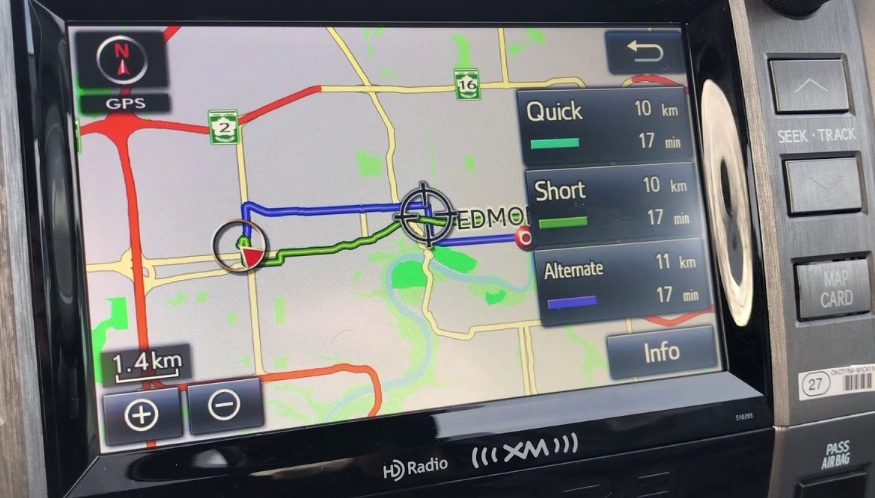
Quick Decision Helper: What's Your Car's Situation?
Car has a standard Double-DIN opening? Go for a full touchscreen replacement receiver. It's the cleanest look.
Car has a weird, custom-shaped factory screen? Look for a specific kit for your car model or consider a module system.
Just want simple, cheap directions and nothing else? A portable Garmin might be all you need.
Want the absolute latest maps and traffic without paying for updates? A unit with Android Auto/Apple CarPlay is your best bet—it uses your phone's constantly updated apps.
Choosing the Right System: Features That Actually Matter
Walking into an electronics store or browsing online can be overwhelming. They throw terms like "capacitive touch," "RMS power," and "Maestro RR compatibility" at you. Let's simplify it. Focus on these core features when deciding what navigation system to put in your car.
Screen Size and Quality: 6.8-inch to 7-inch is standard. 9-inch and 10-inch models are becoming more common for a more immersive look. Resistive touchscreens (you push) are older tech; capacitive touchscreens (like your phone, you tap and swipe) are much more responsive and pleasant to use. Look for a bright, high-resolution screen that you can see in direct sunlight.
Built-in Nav vs. Smartphone Mirroring: This is the big one. A unit with built-in navigation has maps stored internally. It works without your phone. The downside? Map updates cost money (often $70-$150) and you have to remember to do them. A unit that focuses on Android Auto and Apple CarPlay uses your phone's processing power and apps. You get Google Maps, Waze, or Apple Maps on the big screen, with free, constant updates and superior live traffic data. For most people in 2024, smartphone mirroring is the smarter, more future-proof choice. It answers "can I put a navigation system in my car" by leveraging the powerful computer already in your pocket.
Connectivity is King: You want Bluetooth, obviously. But also look for units with built-in Wi-Fi. This allows for easy wireless software updates for the unit itself, and some even enable wireless Android Auto or Apple CarPlay (so you don't need to plug in your phone every time). A USB port (preferably on the front or a dedicated rear cable) is a must for connecting and charging.
Sound and Expansion: If you care about audio quality, check the preamp outputs (for adding amplifiers) and built-in equalizer settings. Many units also have inputs for a backup camera, which is arguably one of the best safety additions you can make to any car. Getting a nav system that can display the camera feed is a huge bonus.
Steering Wheel Control Compatibility: This is a big one people forget. You don't want to lose the ability to change volume or tracks from your steering wheel. Most good head units support interfaces (like iDatalink Maestro or PAC) that let you retain and even reprogram these controls. It adds to the cost but is 100% worth it for a seamless install.
The Installation Saga: DIY, Pro, or Something in Between?
Alright, you've picked a shiny new unit. Now, how does it actually get into your dashboard? This is where the rubber meets the road, and where many people get cold feet.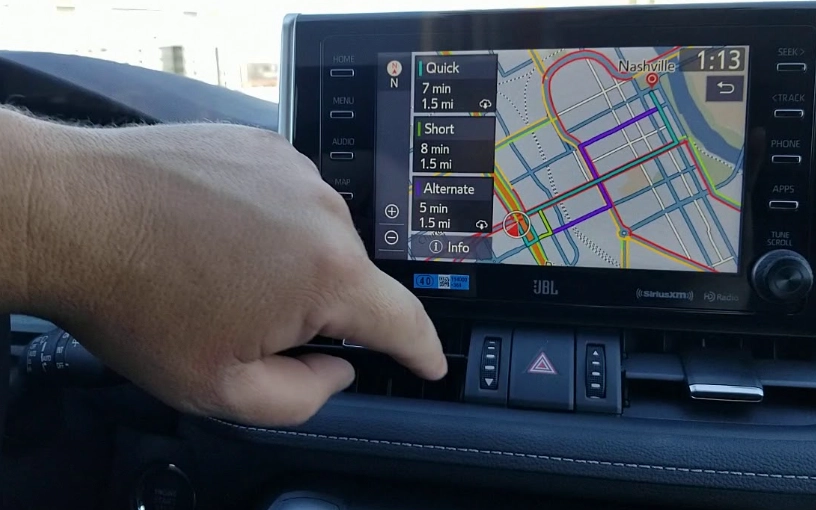
Option 1: The Professional Installation
You buy the unit and take it and your car to a reputable car audio shop. This is the safest, easiest, and most reliable method. A good installer has seen it all. They'll handle the wiring, solder or use proper connectors, program any interfaces for steering wheel controls, integrate with factory amplifiers, and mount everything cleanly. They also usually guarantee their work.
The cost? Typically between $100 and $300 for a standard head unit installation, more if you're adding a backup camera or dealing with a complex factory system. Is it worth it? If you value your time, lack confidence, or have a car with tricky wiring (many modern cars do), then absolutely yes. A bad DIY install can lead to blown fuses, non-working functions, or even electrical gremlins.
Option 2: The Full DIY Adventure
This is for the tinkerers. You'll need patience, a basic set of tools (panel poppers, screwdrivers, wire strippers/crimpers, multimeter), and a good guide. Websites like Crutchfield's installation guides are invaluable. When you buy from them, they often include vehicle-specific instructions and harnesses that make the job much easier.
The process generally involves:
- Disconnecting the car battery. (Non-negotiable safety step!).
- Carefully removing the trim panels around your factory radio.
- Unbolting and removing the old radio.
- Connecting the wiring harness of the new unit to a vehicle-specific adapter harness (you solder or use crimp caps—do NOT just twist and tape).
- Plugging in the antenna adapter, any USB extension cables, and the interface module for steering controls.
- Securing the new unit in the dash kit (a plastic frame that makes it fit your car's opening).
- Testing everything before you put all the trim back on.
- Reassembling the dashboard.
It can be satisfying. It can also be incredibly frustrating when you can't get a clip to release or a wire doesn't match the diagram. Be prepared to spend a Saturday on it.
Option 3: The Hybrid Approach
This is what I often recommend. Buy a complete kit from a place like Crutchfield that includes the radio, the exact dash kit, the wiring harness, and the steering control interface—all pre-selected for your car. Then, you can choose to DIY the simple parts (removing the old radio, running a backup camera cable) and take it to a pro to do the final wiring and programming. Or, do all the physical install yourself and just have a pro check your connections. It splits the cost and the learning curve.
Cost Breakdown: The Real Price of a New Nav System
"Can I put a navigation system in my car?" often really means "...without spending a fortune?" Let's lay it all out. The head unit is just part of the bill.
| Component | Low-End Estimate | Mid-Range Estimate | High-End/Complex Estimate | Notes |
|---|---|---|---|---|
| Head Unit | $200 - $400 | $400 - $700 | $700 - $1500+ | Basic models have smaller screens, resistive touch. Mid-range gets you capacitive touch, AA/CarPlay. High-end adds premium audio features, larger screens. |
| Installation Parts Kit | $25 - $50 | $50 - $150 | $150 - $400 | Includes dash kit, wiring harness. Price jumps for custom dash kits or complex interface modules (Maestro RR for data integration). |
| Professional Installation Labor | $100 - $150 | $150 - $250 | $250 - $500+ | Standard install vs. install with steering controls, backup camera, amplifier integration. |
| Backup Camera (Add-on) | $30 - $80 | $80 - $150 | $150 - $300 | Essential safety add-on. Cheap ones are low-resolution. Better ones are weatherproof with night vision. |
| Satellite Radio Tuner (Add-on) | $50 - $100 | N/A | N/A | If you want SiriusXM and your new radio doesn't have it built-in. |
See? It adds up.
A realistic budget for a decent, professionally installed system with Android Auto and a backup camera is in the $700-$1,200 range. You can do it for less if you DIY and skip the camera, or spend more for a top-tier audio brand with a giant screen. The key is to budget for all the parts, not just the shiny box on the shelf.
Common Pitfalls and How to Dodge Them
I've made some mistakes so you don't have to. Here’s what to watch out for when you decide to put a navigation system in your car.
Ignoring the Dash Kit: The head unit won't just slide into your car's hole. You need a plastic or metal dash kit adapter. For some cars, these are cheap and perfect. For others (like many modern cars with curved, integrated dashboards), they can look cheap and ill-fitting. Research photos of installed kits for your specific car model before buying.
Wireless Hiccups: Wireless Android Auto and Apple CarPlay are fantastic when they work. But they can be finicky. They rely on a stable Wi-Fi/Bluetooth connection between your phone and the radio. Some phone/radio combinations just don't play nice. If stability is critical, you might prefer the reliability of a wired connection.
Future-Proofing Fail: Buying a unit with only built-in nav and no smartphone projection is, in my opinion, a mistake today. The smartphone apps are updated constantly with new features, better traffic, and points of interest. A built-in system will feel stale in a few years. Always prioritize units with Android Auto and Apple CarPlay.
Power and Ground Issues: This is the #1 cause of weird problems in DIY installs—noise, units resetting, or not turning on/off with the car. A bad ground connection is usually the culprit. Always find a solid, bare metal point on the car's chassis to ground your wiring harness to. Don't just attach it to another wire.
Frequently Asked Questions (The Stuff You're Secretly Searching)
Will putting an aftermarket navigation system in my car void the warranty?
Generally, no. In the United States, the Magnuson-Moss Warranty Act prevents a dealer from voiding your entire vehicle warranty simply because you installed aftermarket electronics. However, if they can prove that your installation directly caused a specific failure (like an electrical short that fried a control module), they may deny warranty coverage for that specific repair. A professional installation with proper fuses and connections minimizes this risk.
What's the best navigation system to put in an older car?
For a classic or older car without complex electronics, a simple Double-DIN unit with Android Auto and Apple CarPlay is the golden ticket. Brands like Pioneer and Kenwood have models known for reliability. It gives you modern navigation via your phone plus Bluetooth for music, all through a clean, modern screen that doesn't look too out of place with a good dash kit.
Can I install just a navigation system without replacing my entire stereo?
Yes, but options are limited. Portable GPS units (Garmin) are the main choice here. There are also some very old-school "in-dash" navigation units that were single-DIN with pop-out screens, but they're largely obsolete. For a truly integrated look and feel, replacing the head unit is the best path.
How difficult is it to install a system with a backup camera?
Running the camera cable from the head unit in the dash to the rear of the car is often the most time-consuming part of an install. It involves removing interior trim panels and routing the wire along the floor or headliner. It's not technically hard, but it requires patience and care not to damage clips or interfere with airbags. The actual connection at the radio and camera is simple.
My car has a factory amplifier. Is this a huge problem?
Not a problem, but an extra step. You'll need a specific wiring harness interface that connects to your factory amp's input. These are common and available for most cars. The key is identifying that you have a factory amp in the first place (often in the trunk or under a seat).
So, can I put a navigation system in my car? You bet you can. It's one of the most satisfying upgrades you can do. It modernizes your daily drive, improves safety, and adds genuine convenience. The path is clear: decide on your must-have features (smartphone mirroring is a must), budget for all the parts and labor, and choose an installation route that matches your confidence level. Do your research, maybe watch a few install videos for your specific car, and then take the plunge. Your future self, confidently arriving on time without phone-related stress, will thank you.
Honestly, after living with a proper system, I'd never go back. It just makes driving... simpler. And sometimes, that's the best upgrade of all.