Picture this. It's 6:15 AM in January. The thermometer reads 12°F (-11°C). You're bundled up, coffee in hand, dreading the walk to your ice-covered car and the five minutes of shivering while the heater struggles to work. Now, imagine tapping a button from your kitchen window. Your car's lights flash, the engine purrs to life, and by the time you walk out, the windshield is clear and the cabin is toasty.
That's the promise of a remote start system. But after installing hundreds of these systems and talking to thousands of customers, I can tell you it's about a lot more than comfort. It's about safety, vehicle longevity, and modern convenience that feels less like a luxury and more like a necessity once you have it.
Let's cut through the marketing fluff. This guide isn't just a list of features. We're going to look at what remote start really does, the hidden costs nobody talks about, and how to choose a system that won't leave you stranded with a dead battery or a faulty install.
What's Inside This Guide?
What Exactly Is a Remote Car Starter?
In simple terms, it's a small electronic module added to your vehicle that lets you start the engine without being inside the car or using the physical key. You use a separate key fob (or a smartphone app) to send a signal. The module then mimics all the steps needed to start the car: checking the gear is in park, verifying the security system, and engaging the starter motor.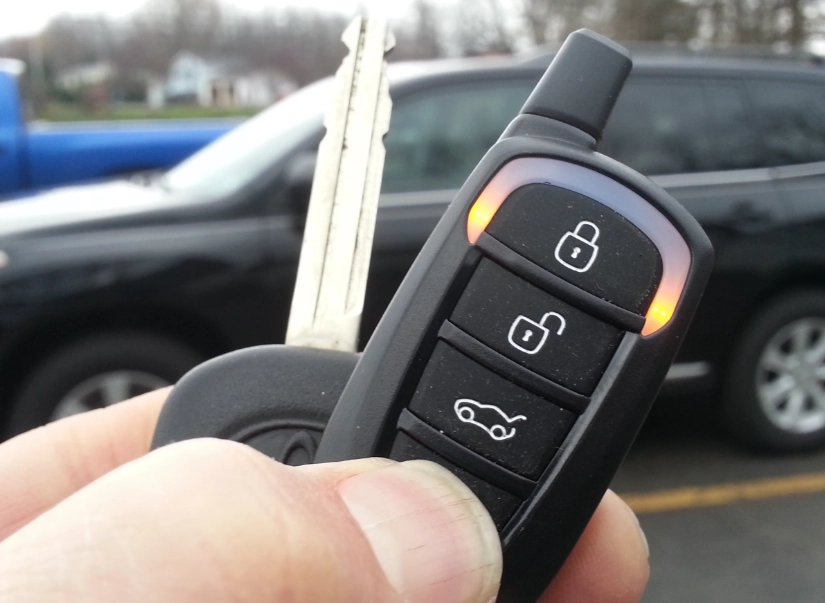
It's not just turning the key by magic. The system has to integrate with your car's computer and immobilizer (the chip in your key that prevents hot-wiring). That's why installation on modern cars is more complex than it was 20 years ago.
Once running, the car will typically idle for a preset time (usually 10-15 minutes, adjustable) before shutting off automatically. This is a critical safety and anti-theft feature.
Benefits You Might Not Have Considered
Sure, a warm car in winter and a cool one in summer are the obvious wins. But the value goes deeper.
Safety First, Comfort Second
Clearing frost, ice, and snow from your windshield and windows before driving is a major safety issue. A remote start gives your defroster time to work, melting that layer of ice so you have full visibility from the moment you pull out. You're not rushed, scraping half-heartedly in the cold.
For parents, it means buckling kids into a seat that isn't freezing cold. For anyone, it means getting into a car where the steering wheel isn't a block of ice.
Engine and Component Health
While modern engines don't need long warm-ups, a minute or two of idling on a bitterly cold day helps oil circulate to critical components before you put them under load. The bigger benefit is for the interior. Plastics, vinyl, and leather become brittle in the cold. Gradually warming the cabin reduces stress on your dashboard, seats, and even touchscreens.
The Anti-Theft Bonus
Most quality aftermarket remote start systems include an upgraded alarm or security system integration. A car that's visibly running (with exhaust fumes) but locked is a deterrent. Thieves can't just smash a window and drive off because of the safety shut-off. It adds a layer of security your factory key might not have.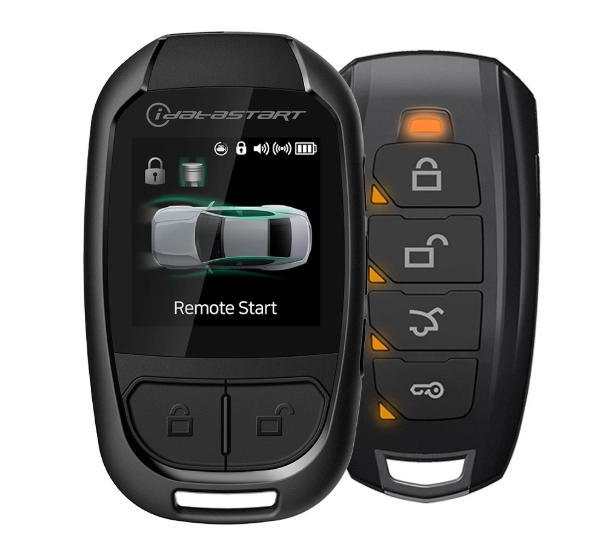
One-Way, Two-Way, or Smartphone? Picking Your System
This is where the choice gets real. The type of system determines your experience and, of course, the price.
| System Type | How It Works | Typical Range | Biggest Pro | Biggest Con |
|---|---|---|---|---|
| One-Way Remote Start | You press the button on the fob, the car (hopefully) starts. No confirmation signal comes back to you. | 500 - 800 ft (open area) | Most affordable option. | The "hope and pray" method. Did it start? You have to look or listen. |
| Two-Way Remote Start | You press the button, the car starts, and the fob beeps and/or displays an icon (like a check mark) confirming it's running. | 1500 - 3000 ft (open area) | Peace of mind. You get confirmation and often get a warning if the start failed. | More expensive. The fob is larger and needs its own battery. |
| Smartphone Control (Telematics) | You use an app on your phone (like Compustar Drone, Viper SmartStart). The signal uses cellular networks. | Virtually unlimited (anywhere with cell service). | Range is global. Often includes GPS location, vehicle status (fuel, tire pressure), and security alerts. | Requires a monthly or annual service fee ($50-$150/year). Dependent on phone battery/service. |
My personal take? I almost never recommend basic one-way systems anymore. The frustration of not knowing if your car started from your 10th-floor apartment or the back of a parking lot outweighs the savings. A two-way system is the sweet spot for most people. Smartphone control is for the tech-savvy or those who park in massive, signal-blocking structures daily.
The Installation Reality: Professional vs. DIY
This is the most critical part of the entire process, and where most mistakes happen.
Professional Installation: This is the route I strongly advise for 95% of people, especially for any vehicle made after 2006. A pro will have the vehicle-specific wiring diagrams, the proper tools to interface with your car's CAN bus network, and the know-how to bypass the immobilizer correctly. They'll also usually offer a warranty on both parts and labor (1-3 years is standard). The cost? For a basic system, expect $200-$400 for labor on top of the parts. For a high-end two-way or smartphone system with security integration, installation can run $400-$700.
It's not just plugging in wires. It's programming, testing, and ensuring everything integrates seamlessly with your factory features like door locks and hood pins.
DIY Installation: The kits are sold online, and the videos make it look easy. For pre-2000 cars with simple wiring, a patient and skilled DIYer can sometimes manage it. For modern cars, it's a minefield. One wrong connection can trigger airbag lights, disable your ignition, or cause intermittent electrical gremlins. The money you save on installation could easily be spent on a tow truck and a dealer to reset your car's computer.
I've seen it too many times. A customer brings in a car after a failed DIY attempt. We have to spend hours tracing their work, fixing splices, and then doing the job right. The final bill is often higher than if they'd come to us first.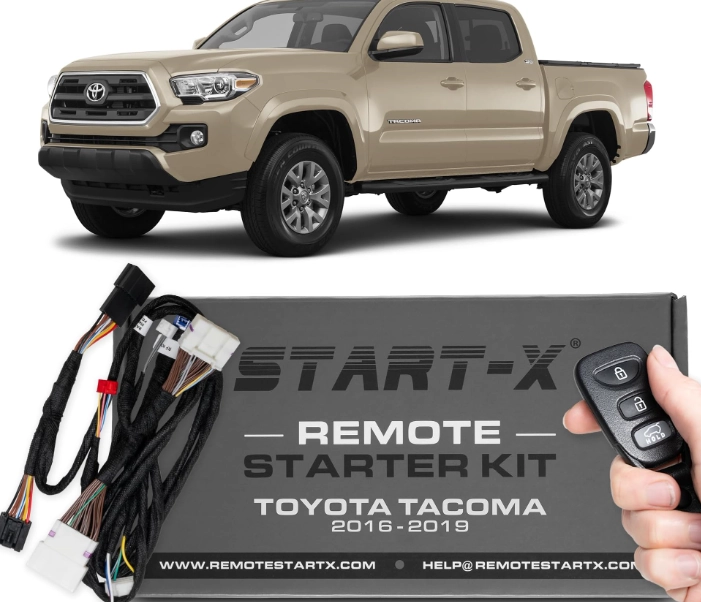
Your Step-by-Step Buying Guide
Ready to shop? Don't just buy the first kit you see on Amazon. Follow this process.
1. Know Your Vehicle. The exact year, make, model, and engine type is crucial. A system for a 2018 Honda Civic with a push-button start is completely different from one for a 2018 Honda Civic with a traditional key. Write it down.
2. Decide on Your Must-Have Features. - Range: Be realistic about where you'll use it (apartment, office, store). - Confirmation: Do you need two-way confirmation? - Integration: Do you want it to also lock/unlock your doors? Pop the trunk? - Security Add-Ons: Do you want shock sensors, glass break sensors? - Smartphone Control: Is the monthly fee worth it for you?
3. Get Quotes from Reputable Installers. Look for MECP (Mobile Electronics Certification Program) certified technicians. Read reviews. A good installer will ask you detailed questions about your car and your needs. They should provide a written quote that breaks down parts and labor.
4. Ask About the Warranty. What's covered? For how long? Is it a "lifetime" warranty that only covers the circuit board if it fails, not the installation work? Get it in writing.
5. Budget for the Whole Package. If your car battery is old, factor in a replacement. If you're getting a two-way system, ask about the fob battery life and replacement cost. For smartphone systems, know the annual fee.
Expert Advice: The Mistakes I See All The Time
After years in this field, patterns emerge. Here’s what most buyers get wrong.
Mistake 1: Prioritizing Price Over Installer Skill. The cheapest quote often comes from the least experienced shop. This isn't a place to bargain hunt. A bad install can damage your car's electronics. Choose the installer, then the system.
Mistake 2: Ignoring the Security Protocol. Your remote start fob is not your car key. Never leave the fob in the car. If you have a push-button start car, the installer must use a secure method (like an RFID key box) to store a spare key inside the vehicle for the system to work. Ask them to explain their method.
Mistake 3: Assuming "Factory" Means Better. Many cars offer a remote start accessory from the dealer. These are often overpriced, have pathetic range (sometimes requiring a double-press of the factory lock button), and lack the features of a good aftermarket system. Always compare.
Mistake 4: Overestimating Warm-Up Time. Running your car for 20 minutes on a cold morning is wasteful and doesn't help the engine much more than 5-7 minutes. Set your timer for what you need to defrost and warm the cabin, not to "pre-heat" the engine to operating temp. That happens when you drive.
Your Remote Start Questions, Answered
So, is a remote start system worth it? For anyone who deals with extreme temperatures, values safety, and hates that morning scramble, the answer is a resounding yes. The key is to view it as an investment in a quality system installed by a professional. Skip the bargain-bin one-way remote and aim for a reliable two-way system from a brand like Compustar, Viper, or Directed Electronics. The upfront cost stings for a day, but the daily convenience, safety, and comfort pay you back every single time you use it.
Do your homework, find a certified installer you trust, and be clear about what you want. You'll end up with a system that makes your car feel smarter, safer, and perfectly tuned to your life.